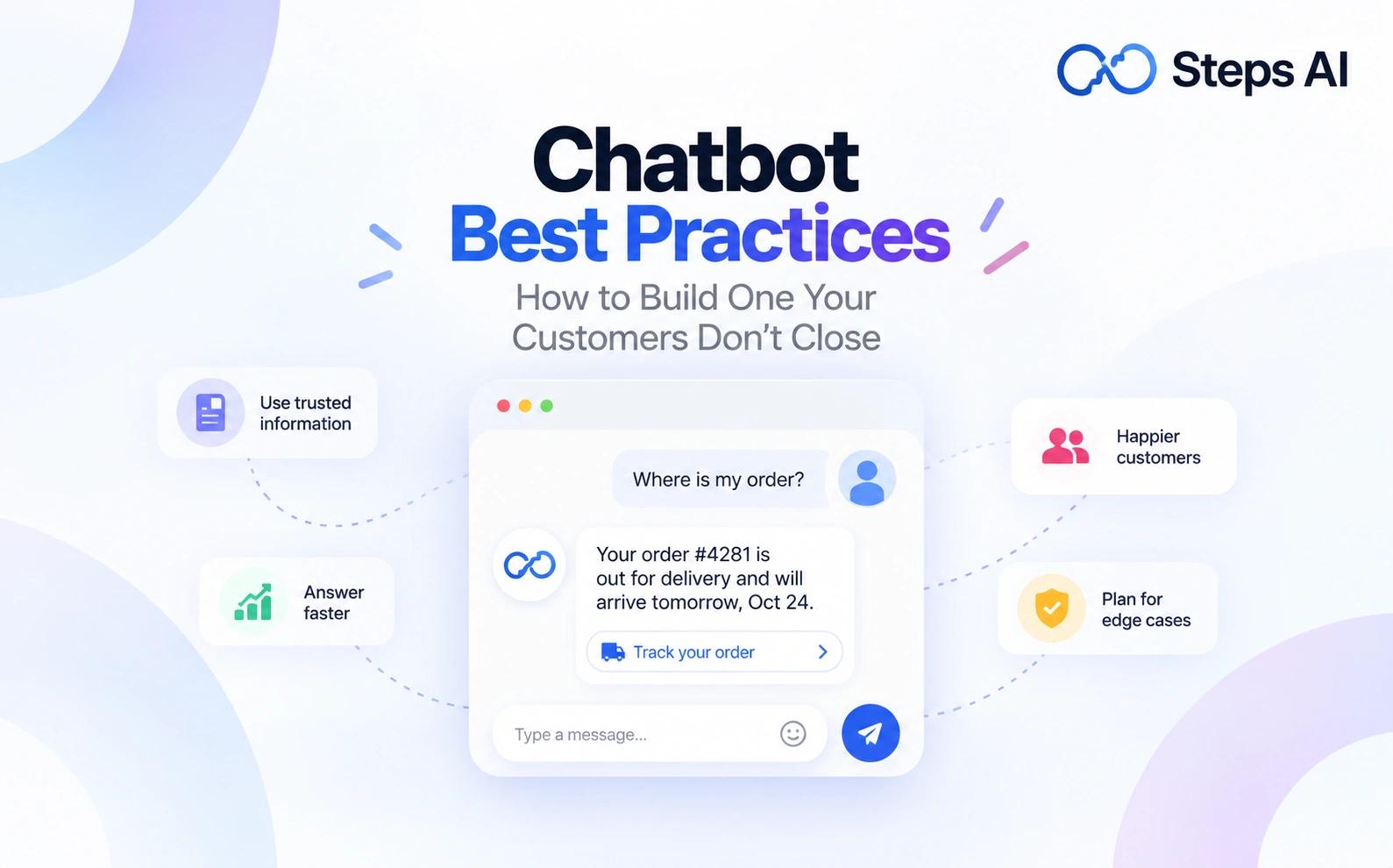
Chatbot Best Practices: How to Build One Your Customers Don't Close
Tanu Adhikari · Sep 16, 2026Most chatbots fail because of the information behind them, not the technology. Twelve practices we use to build ones people actually use, from picking the job to knowing what to measure.
Key Takeaways
- Most chatbot failures are content failures, not technology failures. Your chatbot is only as good as the information it can reach.
- Pick one job before you pick a tool. A chatbot that tries to answer everything answers most things badly.
- Plan the failures first. Your fallback messages and your route to a person are what people actually judge you on.
- Test with twelve real, messy questions before launch. Include ones your business can't answer.
- Track a few key performance indicators, read your conversation logs weekly, and use real user feedback to fix the source instead of patching replies.
- Tell people they're talking to AI. In the EU, that's been the law since 2 August 2026.
We build AI-powered chat agents, and we read a lot of the conversations they have.
The bad ones go wrong for the same few reasons. Almost none of those reasons are technical.
This guide covers twelve practices, in the order you'll need them. It starts with deciding the job and ends with keeping the thing accurate once it's live.
What good AI chatbots actually do
A good chatbot does three things:
- It answers the question the customer actually asked.
- It uses information that's current.
- It gets them to a person fast when it can't help.
That's the whole standard. Everything else here is a way of hitting it.
The names move around a lot. Chatbots, virtual assistants, conversational AI, agents. What matters isn't the name. It's how the thing finds its answers.
Older chatbots follow predefined rules. You press a button, you get a set reply.
Newer ones use generative AI. They read your content and answer in normal human language.
Three jobs chatbots are genuinely good at
- Answering the same factual questions, over and over, at any hour
- Looking things up in tools you already use, like your store or your courier
- Collecting details so a person can finish the job
In most businesses, those three cover the bulk of your customer interactions.
What a chatbot won't fix
A chatbot won't fix slow delivery. It won't fix a confusing product page or a returns policy people hate.
It only answers questions about those things faster. If the policy is the real problem, you'll just hear about it sooner.
Reading your website vs looking things up
Some chatbots only read your website. Others can look things up. That gap is really the difference between an AI agent and a chatbot.
Ask "where's my order?" and one gives you the delivery policy, the other gives you the parcel details. The first answer starts an email. The second one ends the conversation, and almost every complaint about AI chatbots sits somewhere in that difference.
The first answer starts an email. The second one ends the conversation.
Almost every complaint about AI chatbots comes down to that gap.
Why most chatbot interactions frustrate people
Most people open your chat window expecting very little. They came by that, honestly. The chatbot experience of the last few years taught them.
The four complaints we hear most
- It misunderstands. The customer rephrases twice, gets the same apology twice, and gives up.
- It loops. No person, no ticket, no email address. Just the same three buttons.
- It quotes a page instead of checking a record. Your customers asked about their order. It read out the shipping policy.
- It's confidently wrong. This is the worst one. The customer believes it and plans around it.
A Verint survey found roughly two in three people have had a bad experience with a chatbot. The top complaint was that it misunderstood the question.
So customer expectations here are odd. User expectations of the bot are low, and expectations of you are high. People assume it'll fail, and they still blame your brand when it does.
What a bad chatbot costs your business
It isn't support time. It's the sale.
Your chat window sits right where people decide whether to buy. That makes it part of your customer experience, whether you planned it that way or not.
Research from Brunel University found something worth knowing. When a chat goes wrong, customers blame the company, not the technology. Some leave. Some complain in public.
There's a second cost too. When the chat fails, people phone or email instead.
The work doesn't disappear. It moves, and it usually arrives angrier.
The good news is that people do want self-service. Most of us would rather get an answer in ten seconds than wait for anyone. Bad chatbot interactions burn that goodwill, and each one costs a little user trust.
1. Decide what job your chatbot has before you build it
Most chatbot projects go wrong right here, before anyone has opened a tool.
Do you actually need a chatbot?
Here's an honest test. Do you get the same handful of questions several times a week? And do you already have current written answers to them?
If not, fix the answers first. A chatbot built on old pages will repeat your old pages, faster, to more people.
Here's the second test, and we'd rather say it now than after you've paid for something. If very few people visit your site, a chatbot won't change your numbers. Traffic first, automation second.
Pick one job before you pick a chatbot platform
Choose one and stick to it for the first month:
- Pre-sales questions (sizing, materials, compatibility, stock)
- Order and delivery status
- Bookings and appointments
- Lead capture
Pick the job that creates the most repeat messages. Not the one that demos best.
You don't need formal user research to choose. Open your inbox, read last month's messages, and count. That's your target audience telling you what they need, in their own words, for free.
The job also tells you which chatbot platform fits. Choosing a tool first, then hunting for a use for it, is how most stalled projects start.
Write the "never do this" list
Before anything goes live, write a short "never" list.
What's striking is how similar these lists look from one store to the next. Four rules come up again and again:
- Never quote prices
- Never give medical, legal, or financial advice
- Never promise a delivery date it can't check
- Never discuss anything internal
In Steps AI's chatbot, you tick these as guardrails. In other tools, you write them into the instructions yourself. Either way, agree on them before launch, not after someone screenshots a bad answer.
Then tell customers what it can do. Most users won't test an unfamiliar box. If your greeting doesn't name two or three things, they'll close it and email you.
Being open about limits is how you set realistic expectations before people form their own.
Decide what "done" looks like for each question
For each question type, write the finish line. Order located. Size confirmed. Appointment booked. Ticket created with the right details.
This matters more than it sounds. A conversation that ends isn't the same as a conversation that worked. Someone who gave up looks exactly like someone you helped.
Write the finish line next to the business process behind it. "Appointment booked" should mean something appeared in your calendar. If your own business processes are vague, the chatbot will show that in public.
2. Get your information right before you design anything
Most people skip this part. It's the part that decides whether the rest works.
Call it knowledge management if you like. It's mostly tidying, and it matters more than any setting.
Where your chatbot's answers come from
The answers can come from three places:
- Your written content, such as pages, PDFs, FAQs, policies.
- Your connected tools, such as your store, courier, calendar, and CRM.
- The model's language ability. Natural language processing is what lets it read a badly typed message and work out the user intent behind it.
Get that last one straight and a lot of confusion clears up.
The model decides how the sentence reads. Your content and your tools decide whether it's true. A better model can't fix wrong information.
So when someone says a chatbot handles user queries badly, the fault is usually further back. The AI system understood the question fine. It just had nothing correct to answer with.
Reading your site isn't the same as looking things up
Here's the same conversation, two ways.
Customer: Where is my order?
A chatbot that reads your site: Our standard delivery takes 3-5 working days from dispatch.
A chatbot that looks it up: Order 4471 shipped Tuesday with Delhivery. It's out for delivery today. Here's the tracking link.
Connecting a tool sounds technical. It usually isn't. In Steps AI, it's an authorisation screen, like signing in with Google. You don't need to code or hire any developer.
Then there's a second step people miss. An app that's connected but not switched on does nothing, and it's the most common setup mistake we see.
Steps AI seamlessly integrates with 20+ apps, including Shopify, WooCommerce, HubSpot, Zendesk, and Google Calendar. It also covers five Indian couriers: Shiprocket, Delhivery, DTDC, iThink Logistics and WareIQ. That last group matters if you ship inside India, because most international tools don't cover those couriers at all.
What to tidy up before you connect anything
- Keep one current version of every policy. Delete the old PDF instead of leaving it to be found.
- Write delivery times as ranges you can defend on a bad week.
- Put sizing, materials, and compatibility in text on product pages, not only in images.
- Write down the five questions you answer most often.
Regular updates to these sources are the cheapest accuracy fix there is. Change your returns window in one place and every channel picks it up.
How to stop your chatbot inventing answers
- Keep your chatbot grounded in your own content first. Allow a wider web lookup only where it helps.
- Tell it to say "I don't know" instead of guessing. Then test that it really does. Plenty of tools promise this. Few get tested on it.
- Keep every reply tied to the user's question. Padded, waffly answers usually mean the agent is filling a gap.
3. Chatbot design best practices for the chat window
A chat window is a user interface like any other. People judge it in about two seconds.
Conversational interfaces have one extra problem. A blank box gives no clue what's allowed.
Write a welcome message that says what it can do
"How can I help you today?" tells people nothing.
- Weak: Hi. How can I help you today?
- Better: Hi. I can check your order status, answer sizing questions, or book a call with our team.
A strong welcome message sets the tone for everything after it.
Use buttons and quick replies, keep typing open
Offer both. Buttons guide users who don't know what to ask. The typing box serves the ones who do. Quick replies also keep chat interactions short, which matters most on a phone.
In Steps AI, you get five quick questions in the widget, answered from your own knowledge base. The usual mistake is filling them with questions nobody asks. Open your inbox, take the real top five.
You no longer need to design conversational flows the old way, with every branch mapped by hand. Most of that work is now choosing what the agent can do and giving it good information.
Conversational flows still matter for the few paths where order counts, like a booking or a return.
When the chat window should appear
A chat window that jumps out the second someone lands on your website gets closed on reflex.
The Steps AI website chatbot can appear immediately, or after 5 seconds, 10 seconds, 30 seconds, or a minute. Most stores do better with a short delay.
Don't re-prompt someone who already closed it. That's the behaviour your customers often describe as being chased around a website.
Design for a phone screen first
Most of your visitors are on a phone, so check three things on a real one:
- The bubble doesn't cover the add to cart button
- The keyboard doesn't hide the conversation
- The text is readable without zooming
We let you set the launcher separately for desktop and mobile, across nine positions. A widget that costs you add-to-carts isn't saving you anything.
4. Chatbot UX best practices: write the way your customers write
People will forgive a chatbot that doesn't know something. They won't forgive one that sounds like a form.
Keep answers short and plain
Deliver the answer in two or three sentences, then offer to go deeper. Long blocks get skimmed and misread.
Drop your internal words too. If customers say "delivery", don't say "fulfilment". That isn't dumbing down. It's answering in the language the question arrived in.
Set your chatbot's personality and keep it consistent
Your chatbot's personality is tone, not jokes.
In Steps AI, that's a setting on the persona: friendly, professional, direct, or neutral. You pick one instead of rewriting answers one by one.
Don't overdo the human act. Fake names and small talk annoy people who just want an answer.
Salesforce research puts the share of customers expecting a personal touch at 81%. But personalised service means recognising their order and their previous interactions. It doesn't mean imitating human conversation with a made-up name.
Tell people they're talking to AI
This is now law in places, not just good manners.
Under Article 50 of the EU AI Act, in force since 2 August 2026, anyone talking to an artificial intelligence system has to be told at the point of interaction. A line buried in your terms doesn't count.
It applies to businesses outside the EU whose output is used there. Penalties reach €15 million or 3% of worldwide turnover.
For most businesses, that's one line in your greeting. Being upfront also lowers the bar you're judged against, which helps you.
Handle typos, slang and other languages
Test with real user inputs, not the tidy sentences you'd write yourself. Lowercase. Misspelt. Half a sentence.
"wil this get here b4 the 14th" is a real message. Your agent should handle it. Informal language is normal in a chat window, not the exception.
Be deliberate about multiple languages. Answering in a language nobody on your team can follow up in creates a worse problem than not offering it.
5. Plan what happens when your chatbot doesn't understand
Every chatbot hits questions it can't answer. The ones people forgive are the ones that fail well.
A chatbot that supports users through a failure keeps more of them than one that answers nine questions well and dead-ends on the tenth.
Write fallback messages that offer a next step
A good fallback does three things. It admits the miss. It offers two or three likely options. It offers a person.
- Dead end: Sorry, I didn't understand that. Please rephrase.
- Better: I didn't catch that one. Did you mean order status, returns, or delivery times? I can also pass you to someone on our team.
Vary the wording. When the chatbot sends the same apology three times, that's the moment people leave.
Stop after two failed attempts
Set a hard limit. After two failed attempts, stop asking people to rephrase. Offer a person or take a ticket.
Add trigger words that jump straight there: human, agent, help, complaint, refund. Nobody who types "human" should have to type it twice.
Never leave a dead end
If nobody's available, take the question and a contact detail. Then say when someone will reply.
Give a real time you can keep. Not "shortly".
6. Make human handoff part of the design
Handing over isn't the chatbot losing. It's one of the reasons to have one. It leaves your human agents free to assist customers who genuinely need them.
When a conversation should go to your team
- After two failed attempts
- When someone asks
- When you see anger, a complaint, or a repeat contact about the same thing
- Anything on your "never" list
What the team member taking over should receive
The whole conversation, not the last message. Making your customers repeat everything they just typed undoes all the goodwill.
They should also get the customer's details and what they were trying to do. Then the reply can start with an answer, not "can you explain the issue?"
What to do when nobody is available
Set this up before launch, not after your first complaint.
In Steps AI handoff settings, you set three things. How long the agent waits for someone to pick up, from 10 seconds up to 2 minutes. What it says if nobody does. And who gets the email alert.
Everyone waiting for a person sits in one live requests queue, ordered by priority. Nobody gets lost at the bottom of an inbox.
On WhatsApp, this is more than good manners. WhatsApp's business policy lets you send automated replies inside the 24-hour window, but only if people can also reach a human quickly and easily. A bot with no way out of it breaks Meta's rules, not just your customer's patience.
7. Use the same practices on WhatsApp, Instagram and Facebook Messenger
Your customers don't think in channels, but each channel has its own habits and its own rules.
One set of answers, different rules on each channel
Start where people already message you. If most of your questions arrive on WhatsApp, that's where your chatbot deployment begins. A WhatsApp agent can go live before the website widget does.
Once you're answering on more than one channel, the hard part isn't the setup. It's keeping the answers the same.
Most owners we speak to are maintaining three things separately: a website FAQ, an Instagram highlight, and a set of saved replies. Within a month, all three disagree.
Running one agent across multiple communication channels solves that, but only if the answers live in one place. Fix a wrong delivery time once, and it's fixed everywhere by the afternoon.
What should change from channel to channel is the opening. Someone on a product page is deciding whether to buy. Someone in your Instagram DMs just saw a post. Same answers underneath, different first question.
WhatsApp's 24-hour window and what it changes
That 24-hour rule is also what makes broadcasts worth planning. A template message is often the only way to restart a conversation with someone who went quiet.
The mistake is treating a broadcast as a one-way announcement. The message goes out, a few people reply, and nobody is watching where those replies land.
In Steps AI, they come back into the agent, so people get an answer at the moment they're interested rather than the next working day. One limit to plan around: each send tops out at 1,000 messages.
8. Treat data privacy as part of the design
A chat window is where people type things they would never put in a form.
What your chatbot should never ask for
Card numbers. Passwords. One-time codes. Government ID numbers. Health details.
Collect the least you need to finish the job, and say why you're asking.
Privacy basics for a small team
- Say plainly that conversations are stored, and link to your privacy notice
- Restrict where the widget can be embedded. Steps AI has an allowed domains field, and leaving it empty means anyone can embed your widget anywhere
- Keep customer data in tools you can actually check
If you sell in India, the DPDP Rules 2025 became official on 13 November 2025. They set out how businesses have to look after personal data, and most of what they ask for has to be in place by 13 May 2027. Fines run into hundreds of crores, and being a small business is not an exemption. If you collect a name, phone number, or email in a chat, this applies to you.
If you sell in Europe, GDPR already applies. A chat transcript with someone's name or email in it is personal data, exactly like a record in your CRM.
We're not lawyers, and this isn't legal advice. These rules keep moving, so check where they stand before you rely on any of it.
9. Test with real people before you launch
Everyone says to run comprehensive testing, and nobody says how. Here's the script we use:
Ask these twelve questions, typed the way customers type:
Four questions you answer every week
Two where the honest answer is "we don't offer that"
Two that need a live lookup, using a real order number
Four attempts to break it: a typo, a two-part question, a follow-up that depends on the last answer, and an angry message
What you're watching for:
- Does it refuse politely instead of inventing something?
- Does the follow-up keep context, or forget what you asked ten seconds ago?
- Does the angry message reach a person fast?
Cover the awkward ones too: an out-of-stock item, a partial refund, an order number that doesn't exist, someone asking for a discount.
Get someone who didn't build it to run the test. Two or three real users beat your whole team, because your team knows the right words to use. Real users don't, and that's the point.
The quickest way to understand user interactions before launch is to watch someone try. Sit next to them, say nothing, and note every place they pause. That's better user feedback than any survey you'll run later.
10. Plan your chatbot deployment: launch small, then widen
A successful deployment is a narrow one.
Start where intent is high, and stakes are low. Product pages and your FAQ page are good. Your checkout isn't, at least not in week one.
Then read conversations daily for the first week. Watch for three things:
- Repeated fallbacks. People are asking about something you haven't written down.
- Instant requests for a human. Usually your greeting is wrong.
- Any answer that's flatly wrong. A source needs fixing.
Week one is the riskiest week. One bad early answer confirms every fear you had before you started.
It's also the week that decides whether you trust the thing. The honest pattern is that owners read every conversation at first, then gradually stop.
11. Measure chatbot success with a few honest numbers
Set a baseline before launch:
- How many messages do you answer in a week?
- How long do they take?
Without that, you can't measure your chatbot's performance against anything.
Then pick a few key performance indicators and leave them alone for a month. Chatbot success is easy to fake with the wrong numbers, and most chatbot analytics screens will happily help you do it.
| What to track | What it tells you | The catch |
|---|---|---|
| Questions answered without you | How much repeat work is handled | Only means something next to satisfaction |
| Fallback rate | Where your written information has gaps | A rise is an early warning, not a failure |
| Handoff rate and wait time | Whether people reach a person when they need one | A very low rate can mean people gave up |
| Conversation completion rate | Whether people finish what they started | Define "finished" per question type first |
| User satisfaction | Whether they felt helped | One thumbs question at the end is enough |
| Chats that led to an order or booking | Real business impact | Needs your store connected to count |
Three numbers that look good and mean nothing:
- Total conversations. Volume isn't value.
- "Resolved" meaning the customer stopped replying. Giving up and being helped look identical.
- Average response time on its own. Fast wrong answers are still wrong.
Review weekly for the first month, then monthly. Continuous monitoring sounds like a big commitment. In practice it's half an hour with a coffee.
Steps AI analytics show total chats, messages, average response time, a channel breakdown, and an activity heat map by hour and day.
That heat map is usually the moment it clicks, because owners see the questions arriving at eleven at night that they never knew about.
A/B testing is worth it once you have volume. Change one thing at a time. The welcome message, or the five quick questions. Then give it long enough to mean something.
One warning about judging your chatbot's effectiveness by hours saved. Improving customer satisfaction and saving time usually move together. When they don't, follow satisfaction. The version that saves the most time is often the one that makes people give up.
12. Keep improving using conversation logs and feedback
Sort your conversation logs two ways: by fallback and by handoff. Those two filters find nearly every gap you have.
Reading twenty chatbot conversations end-to-end teaches you more than any dashboard.
Then fix the source. If your returns page is unclear, edit the returns page. Every channel improves at once, and you don't build a pile of patched answers that argue with your website.
Watch for the times the chatbot is telling you something about your business:
- Forty people ask if a product suits a certain use? Your product page is wrong.
- Refund questions spike after one courier delivers? That's a courier problem.
We tag conversations automatically for this, so "we get a lot of refund questions" becomes a number instead of a feeling.
Add a thumbs up or down at the end of the chat and read the downs. Direct user feedback catches things your numbers never will.
Thirty minutes a week is enough after the first month. Read ten conversations. Update two sources. Close the loop. Those are your feedback loops, and they don't need to be fancier than that.
Ongoing improvement is the whole difference between an agent that gets better and one that quietly rots. A successful chatbot is mostly one that somebody edits.
Common chatbot mistakes to avoid
- Crawling the whole website and curating nothing. Old pages get quoted back to customers.
- Hiding the route to a person. It reads as a wall, and people say so publicly.
- Pretending the bot is human. People find out, then trust nothing else you said.
- Starter questions nobody asks. Use the real top five from your inbox.
- A pop-up on arrival. Give people a few seconds.
- Nobody owning the weekly review. If it belongs to everyone, nobody reads the logs.
- Measuring volume instead of outcomes. More chats isn't better.
- Buying a tool before deciding the job. The job decides which features matter.
Frequently asked questions
What are the best practices in chatbot building?
Five things build an effective chatbot. Define one job. Connect current information. Write fallbacks that offer a next step. Make the route to a person obvious. Review conversations weekly. Everything else sits on top of those.
How long does it take to set up a chatbot?
Basic setup can take minutes. With us, you paste your website URL and the agent is live in about five minutes. Preparing your content and testing it properly usually takes a few days to two weeks, and that's the part that decides quality.
How many questions should a chatbot be able to answer?
Start with the ten to twenty you answer most often. Covering the questions that match real user needs matters far more than the total count, because a small number of questions makes up most of your inbox.
Should a chatbot tell people it's not human?
Yes. In the EU, it's been legally required since 2 August 2026, and the notice has to appear in the conversation itself. Elsewhere it's still the right call, because it sets a bar you can actually meet.
Do chatbots reduce customer satisfaction?
Badly set up ones do. The difference is whether people can reach a person easily, and whether answers use live data instead of quoting a policy page.
Do I need a developer to build a chatbot?
Not for a normal website or WhatsApp setup. Most tools install with one script or a no-code setup. You'd need a developer only for custom actions inside your own internal systems.
How do I know if my chatbot is working?
Compare it against the baseline you recorded before launch, and check completion against satisfaction. If chats are ending but satisfaction is flat, people are giving up rather than being helped.
What's the difference between a chatbot and an AI agent?
A chatbot answers from what it has read. An agent can also check live records and take actions, like finding an order or booking a slot. For the customer, the difference is getting your policy versus getting their answer.
If you want to feel the difference between reading pages and looking things up, connect a store to Steps AI and ask the agent where a real order is. That test tells you more than any feature list, including ours.