
Key Takeaways
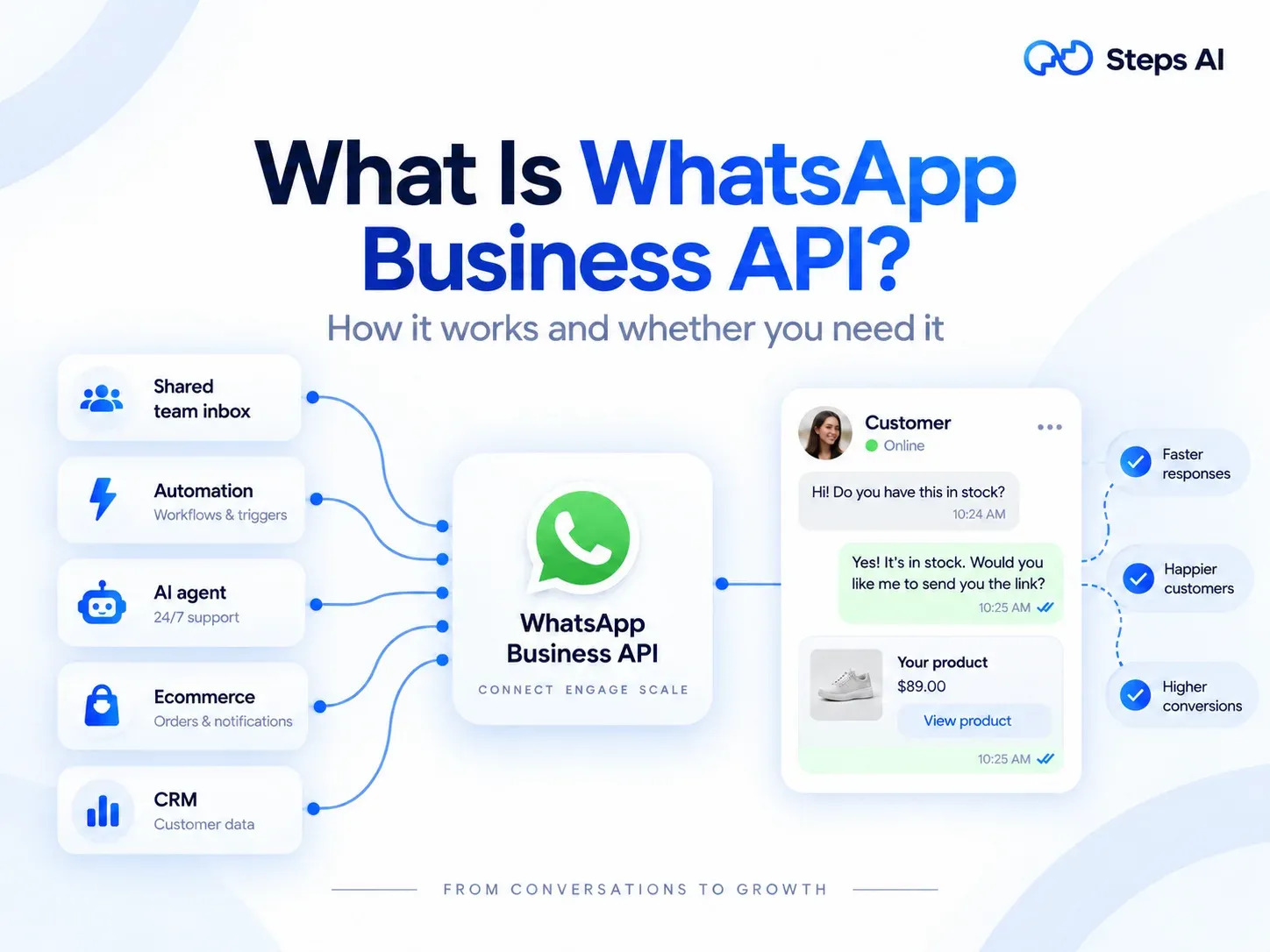
- The WhatsApp Business API is Meta's official way for businesses to send and receive WhatsApp messages at scale through software instead of a phone. Meta now calls it the WhatsApp Business Platform.
- There's no WhatsApp Business API download. It isn't an app you install. You use it through software that connects to WhatsApp for you, and Meta hosts it (this is called the Cloud API).
- Compared with the free WhatsApp Business app, the API lets your whole team reply from one number, automate messages, use an AI agent, and connect WhatsApp to your store or CRM.
- The WhatsApp Business API isn't free. Meta charges per message, and since October 1, 2026, even your replies are charged after the first 1,000 each month on each number. Your platform charges its own fee on top.
- To get started, you need a Meta business portfolio, a WhatsApp Business account, and a phone number you own. In most countries, you can keep the number you already use on the Business app.
- If one person can comfortably answer your chats on one phone, the free app is enough. Once your chats outgrow that, or you need to reach customers who haven't saved your number, it's time for the API.
More than 3 billion people use WhatsApp every month. If you sell online, a lot of them are your customers, and they’d rather message you there than send an email or fill in a form. The free WhatsApp Business app handles that well for a while. Then the chats pile up, broadcasts stop at 256 people, and you’re copying order numbers from Shopify into WhatsApp by hand.
That's the gap the WhatsApp Business API fills. At Steps AI, we connect stores' WhatsApp accounts to AI agents, so we spend a lot of time explaining how this works. In this guide, we'll explain what it is, how it works, the rules, what it costs, and whether you need it yet.
What Is WhatsApp Business API?
The WhatsApp Business API is Meta's official tool for connecting WhatsApp to business software. It lets you:
- Send and receive WhatsApp messages at scale
- Automate replies
- Plug WhatsApp into the business tools you already use
Think of it as WhatsApp built for business communication at volume. Instead of one person tapping away on one phone, software handles the sending, receiving, and sorting. Your team, or an AI agent, then manages customer conversations from a computer.
The most important thing to understand is that the API has no app or screen of its own. It's a connection, not a product you open. You always use it through a messaging platform built on top of it, which we'll come back to shortly.
What "API" Means in WhatsApp API
API is short for Application Programming Interface. That sounds technical, but the idea is simple: it's a set of rules that lets two pieces of software talk to each other.
Picture a waiter in a restaurant. You don't walk into the kitchen to cook your own food. You tell the waiter what you want, and the waiter brings it back. The WhatsApp API is the waiter between WhatsApp and your software. Your store says "send this customer their shipping update," and the API makes it happen.
So if you've been searching for the WhatsApp API meaning or its full form, that's the answer. It's a doorway that lets your own systems use WhatsApp automatically.
WhatsApp Business API vs WhatsApp Business Platform: Same Thing, Different Names
You'll see this called the WhatsApp Business API, the WhatsApp API, the business API, and the WhatsApp Business Platform. They all mean the same thing.
WhatsApp Business Platform is Meta's official name for the whole package. The Cloud API is the technology that powers it. The one name that means something different is the WhatsApp Business app, which is the free phone app. Let's look at how those two compare.
WhatsApp Business App vs WhatsApp Business API: The Key Differences
The free WhatsApp Business app is a phone app for one person handling chats by hand. The WhatsApp Business API is a connection that lets software and a whole team handle chats at scale.
Here are the key differences side by side:
| Feature | WhatsApp Business app | WhatsApp Business API |
|---|---|---|
| What it is | A free app on your phone | A connection you use through a messaging platform |
| Who can reply | You, plus a few linked devices | Your whole team, in a shared inbox |
| Automation | Greeting messages, away messages and quick replies | Full automation, chatbots and AI agents |
| Connects to your store or CRM | No | Yes, including Shopify, WooCommerce and HubSpot |
| Reaching many people | Broadcast lists of up to 256 people who've saved your number | Opted-in customers, no saved number needed, with daily limits that grow |
| Message rules | Send anything you like | Approved templates to start a chat, free-form replies within 24 hours |
| Results you can see | Ticks on each message | Delivered, read and clicked reports |
| Cost | Free, with paid broadcast credits in some countries | Meta's per-message charges plus a platform fee |
| Setup | Download it and go | Connect through Meta's sign-up, usually in one sitting |
In short, the app is a tool for chatting, while the API is a tool for running customer communication as part of your business operations.
If broadcasting is your main reason for looking at the API, our guide to WhatsApp broadcasts compares the limits on each version in much more detail.
Do You Actually Need WhatsApp Business API?
You need the WhatsApp Business API when your WhatsApp chats have outgrown one person and one phone. If they haven't yet, the free app is the smarter choice for now, and there's no shame in that.
The free app is still enough if:
- You can comfortably answer every chat yourself
- Most customers already know you and have saved your number
- You don't need WhatsApp to talk to your store, CRM, or shipping tools
The WhatsApp Business API is worth it if:
- More than one person needs to reply to customer messages
- You answer the same questions all day, like "where's my order?" or "do you have this in medium?"
- You want to automate WhatsApp messages like order updates, cash-on-delivery confirmations, or cart reminders
- You want to reach customers who bought online but never saved your number
- Messages arrive late at night when nobody's around to answer
If two or more of those sound familiar, you've probably outgrown the app. The next step is understanding what you're actually signing up for.
How WhatsApp Business API Works
The WhatsApp Business API runs on six pieces that fit together. Once you know what each one does, every setup guide you read will make sense.
Meta Business Portfolio (Formerly Facebook Business Manager)
Your Meta business portfolio is your business's home base on Meta. It used to be called Facebook Business Manager, and later Meta Business Manager, which is why you'll still see those names in some older guides.
It keeps your Facebook Page, ad accounts, and WhatsApp Business account in one place. It's free to set up, and it's also where you complete business verification.
WhatsApp Business Account
Your WhatsApp Business account (some providers call it your WhatsApp Business API account) sits inside your portfolio. It holds your phone numbers, your message templates, and your payment settings.
Here's a detail many people miss: when you connect through Meta's official sign-up window, this account lives in your own portfolio, not your software provider's. That means it belongs to you, which matters a lot if you ever want to switch tools.
A Dedicated Business Phone Number
You need a dedicated phone number that you own and that can receive a text message or a call for verification. It can be a mobile number or a landline.
The number can't stay active on the personal WhatsApp app while it's on the API. Numbers already on the WhatsApp Business app are a special case, and we'll explain how to keep yours in the setup section.
The Software You Use to Send and Reply
Because the API has no screen, you need software to send messages, read replies and set up automation. You have three kinds of software to choose from:
- A Business Solution Provider (BSP), which is an official Meta partner
- A messaging platform that connects to your account, like Steps AI
- Your own software, built by your developers
All three use the same connection to Meta underneath. What changes is what you get on top: an inbox, template tools, automation, reports, and AI.
Pre-Approved Message Templates
A message template is a message you write ahead of time and send to Meta for approval. You need one whenever you message a customer first, or when more than 24 hours have passed since they last wrote to you. These are called business-initiated messages.
Templates come in three categories:
- Marketing: offers, launches and sale reminders
- Utility: order confirmations, delivery updates and appointment reminders
- Authentication: one-time passcodes for logins
Templates can carry rich media, like images, videos, and business documents such as invoices, plus buttons customers can tap. Meta usually reviews them quickly, often within minutes, though some take up to a day.
The 24-Hour Customer Service Window
When a customer messages you, a 24-hour customer service window opens. Inside it, you can reply with normal, free-form messages, sometimes called session messages. Every new message from the customer restarts the clock.
Once the window closes, you'll need an approved template to reach them again. This is a big part of why WhatsApp feels less spammy than SMS. Businesses can reply in their own words once a customer starts the conversation, but anything unprompted has to pass Meta’s review first.
WhatsApp Business Cloud API: The Only Version Left
The WhatsApp Business Cloud API isn't a different product. It's the same WhatsApp Business API, just described by where it runs. "Cloud" means Meta runs it on its own computers and you use it over the internet, so there's nothing for you to install or look after. It's now the only version there is, so "WhatsApp Business API" and "Cloud API" mean the same thing.
That's good news for you. Meta looks after the servers, security, and updates, and new features arrive automatically. According to Meta, each number can send up to 80 messages per second at first, and Meta automatically upgrades eligible numbers to 1,000 per second, so it won’t slow you down as you grow.
What Happened to the On-Premise API
There used to be a second option, called the On-Premise API, where large companies ran WhatsApp's software on their own servers. Meta shut it down on October 23, 2025, and every new feature now ships only to the WhatsApp Cloud API.
You'll still find plenty of guides online comparing the Cloud API with the On-Premise API. That comparison no longer matters. If you see on-premise hosting described as a choice you can make, the guide you're reading is out of date.
Is There a WhatsApp Business API Download?
No, there's no WhatsApp Business API download. The API isn't an app, so there's nothing to install from the Play Store or App Store.
The app you can download is the free WhatsApp Business app, which is a different product. To access the WhatsApp Business API, you sign up through Meta, either directly or through a platform. You then use that platform's dashboard on your computer or phone. So what can you actually do once you're in?
What You Can Do With WhatsApp API for Business
For an online store, the WhatsApp API features that matter most come down to six jobs. Each one saves time, and most of them also help you sell more.
Send Automatic Order, Shipping and Payment Updates
Your store can send automated messages the moment something happens: order confirmed, payment received, shipped, out for delivery. Service businesses use the same feature for appointment reminders.
In India, cash-on-delivery confirmations are especially useful. A quick WhatsApp check before you dispatch an order cuts down on fake orders and parcels that come back. And when customers get updates before they think to ask, "where's my order?" messages drop, and customer satisfaction goes up.
Run WhatsApp Broadcasts and Marketing Campaigns
On the API, WhatsApp broadcasts go to customers who’ve opted in, with no 256-person list cap and no need for them to save your number. Your daily limit starts at 250 customers and grows as you send good-quality messages, which we cover in the rules section.
You can group customers by things like past purchases or location, add each customer’s name or last order, attach product images, and see who read and clicked in your campaign reports.
For most stores, this is the moment WhatsApp marketing starts to feel like a real channel for customer engagement rather than a side task. Bulk notifications, like a restock alert or a festive sale, go out in minutes.
Recover Abandoned Carts
When a shopper leaves items in their cart, a WhatsApp message with the product photo and a checkout button can bring them back. It’s one of the easiest ways to re-engage customers who were one tap away from buying.
The message lands in an app people check all day, so it's far harder to miss than another email sitting in a promotions tab.
Answer Customer Messages With an AI Agent
The API lets software reply to customer messages instantly, day or night. A basic chatbot follows fixed menus. An AI agent reads the question, checks your catalogue or the customer's order, and replies the way a helpful person would. If you’re weighing the two, here’s the difference between an AI agent and a chatbot.
That's what we build at Steps AI. Our agent is trained on your store, so it can answer product questions, look up orders, show product cards, add items to the cart, and pass the chat to your team when a person is needed. This is conversational commerce in practice, with the whole sale happening inside the chat.
Let Your Whole Team Reply From One Number
On the free app, your business number lives on one phone. On the API, that same number feeds a shared inbox, so several people can handle customer interactions at once without passing a phone around.
A good unified inbox also brings in your Instagram, Messenger, and website chats. That way, you're answering customers from one screen instead of checking four apps.
Connect WhatsApp to Your Store, CRM and Other Business Tools
The API is what lets WhatsApp talk to your other business tools. You can integrate WhatsApp Business API with e-commerce platforms like Shopify and WooCommerce, CRM systems like HubSpot or Salesforce, and support tools like your helpdesk.
With those CRM integrations in place, customer details flow both ways. A new order can trigger a WhatsApp update, and a WhatsApp chat can show the customer's past orders, with no copying and pasting in between.
All of this power comes with some rules, though, and they're worth knowing before you send anything.
The Rules Every WhatsApp API User Has to Follow
The API gives you far more reach than the app, and Meta balances that with stricter rules about how businesses communicate with customers. Follow them and your number stays healthy. Ignore them, and you can lose it.
Get Opt-In Before You Message Anyone
You can only message people who’ve given you their number and agreed to hear from you. Under Meta’s opt-in rules, that permission doesn’t have to mention WhatsApp, but it does have to make clear it’s your business they’ll hear from. You can collect that agreement at checkout, in your website chat, through a click-to-WhatsApp ad, or when a customer messages you first.
Buying a list of numbers and messaging them breaks Meta's rules. It's also the fastest way to get blocked, reported, and shut down.
Messaging Limits and Your Quality Rating
Meta limits how many different customers you can start conversations with in a rolling 24 hours. According to Meta's messaging limits, every new business starts at 250 a day. Verifying your business lifts that to 2,000, and good-quality sending raises it automatically from there, all the way to unlimited.
Two things are worth knowing. Replies to customers who message you first don't count toward the limit. And the limit is shared across your whole business portfolio, so adding a second number won't double it.
Meta also gives your number a quality rating based on how people react to your messages. Replies help. Blocks and spam reports hurt, and a low rating can shrink your limit.
Why WhatsApp Business Numbers Get Banned
Most bans come down to a handful of habits:
- Messaging people who never opted in
- Sending so often that people start blocking you
- Using unofficial apps or browser extensions that blast messages from a normal WhatsApp account
- Selling products or sharing content that WhatsApp's commerce policy doesn't allow
You'll find plenty of Reddit threads from shop owners who lost a number after pushing a festive offer to a few hundred contacts through a bulk-sending tool. The API exists so you can do bulk messaging properly, with consent and approved templates, rather than hoping you don't get caught.
What Meta's 2026 AI Chatbot Policy Means for You
From January 15, 2026, Meta stopped general-purpose AI assistants from running on the WhatsApp Business API. These are ChatGPT-style bots that answer anything about anything, where the AI itself is the product.
Business AI is still allowed. If your AI helps your own customers with support, orders, bookings, or sales, you're fine. That's how an agent like ours works: it's trained on your business and talks to your customers about your business.
Now that you know the rules, let's talk about money.
What WhatsApp Business API Costs: The Short Version
The WhatsApp Business API isn't free, though for most small stores it's affordable. You'll pay two separate bills: Meta's charges for each message and your platform's fee.
- Meta charges per delivered message. The price depends on the type of message (marketing, utility, authentication, or service) and your customer's country. Marketing messages cost the most. For customers in India, Meta charges ₹0.8631 per marketing message and ₹0.115 per utility, authentication, or service message, plus 18% GST.
- Replies are no longer fully free. Since October 1, 2026, replies inside the 24-hour window are free only for the first 1,000 each month on each number. Utility templates sent inside that window are now charged too.
- Some messages are still free. Messages customers send you cost nothing, and so do your replies for up to 7 days after someone messages you from your click-to-WhatsApp ad.
- Your platform charges separately. Most charge a monthly plan, and entry-level plans in India often cost roughly ₹1,000 to ₹5,000 a month. Some also add a markup to Meta’s message rates, so it’s worth asking.
So is the WhatsApp API free? No, but the free WhatsApp Business app still is. Meta changes its business API pricing fairly often, so always check Meta’s pricing page before you budget.
How to Get WhatsApp Business API Access, Step by Step
Getting access takes four steps, and most of the work happens inside a single Meta sign-up window. If you use a platform, there’s almost no technical setup, and you won’t need a developer.
What You Need Before You Start
Have these ready and the API setup goes smoothly:
- A Facebook account with admin access to your Meta business portfolio, or the ability to create one
- A phone number you own that can receive a text or call
- A live website or online store that shows your business name
- Your legal business details, plus a document such as a GST certificate if you plan to verify
- A display name for WhatsApp that clearly matches your brand
Choose How You'll Connect: Directly, Through a BSP or Through a Platform
There are three ways in, and they all lead to the same Cloud API:
- Directly through Meta: Access to the Cloud API is free, but you only get the raw connection. You'll need a developer to build an inbox, automation, and everything else.
- Through a BSP: An official Meta partner sets you up and gives you a dashboard. Many also handle billing for Meta's message charges.
- Through a platform: A tool like Steps AI connects to your own WhatsApp Business account through Meta's official sign-up.
With Steps AI, you bring your own number and WhatsApp Business account, and we connect it. We don't sell or provide phone numbers, and your account stays in your own Meta business portfolio.
Step 1: Set Up Your Meta Business Portfolio
If you've ever run Facebook or Instagram ads, you probably have a portfolio already. You can check at business.facebook.com. If you don't have one, Meta's sign-up window lets you create it as you go.
Step 2: Create Your WhatsApp Business Account and Add Your Number
In your platform, click the button to connect WhatsApp. In Steps AI, it's called Connect with Meta. Meta's official sign-up window then opens.
From there, choose your business portfolio, create a WhatsApp Business account or pick an existing account, enter your display name, and add your phone number. Meta sends a verification code by text or call. Enter it, and you're connected.
Step 3: Verify Your Business
Business verification isn't required to start sending, but it's worth doing early. It lifts your daily limit from 250 to 2,000 customers, and it's a requirement for applying for a verified badge later.
You'll submit your business details and documents in your Meta business settings. Approval can take a few working days or longer, so don't leave it until the week before your festive sale.
Step 4: Set Up How You'll Pay for Messages
Someone has to pay Meta's message charges. Most businesses add a card to their WhatsApp Business account in Meta. Some platforms and BSPs let you pay through them instead, so check how yours works before you send your first campaign.
Can You Keep Your Existing WhatsApp Number?
Usually, yes. If your number is on the WhatsApp Business app, Meta's coexistence option lets you connect it to the API and keep using the app on your phone. It's available in most countries. Just choose the option to connect an existing Business app when the sign-up window asks.
If your number is on the personal WhatsApp app, you'll need to delete that WhatsApp account first, wait a few minutes, then register the number. Your personal chat history won't carry over, so back up anything important before you start.
How to Use WhatsApp Business API: From Approval to Your First Message
Once you're connected, here's how to use WhatsApp Business API in practice, from your first login to your first campaign. The order matters, so it's worth following.
Connect Your Account to Your Messaging Platform
If you signed up through a platform in step 2, this part is already done. In Steps AI, you also pick which of your AI agents will answer messages on that number, so replies have somewhere to go from day one.
Create and Submit Your First Template
Write your first message template, choose its category, and add variables, like {{1}} for the customer's name or order number. Then submit it to Meta for review.
We'd suggest starting with a simple utility template, like an order confirmation. It's genuinely useful to customers, easy to get approved, and a good way to learn how templates work.
Add Your Opted-In Contacts
Import customers who've agreed to hear from you. You can pull them from your store, upload a CSV file, or bring them in from your existing CRM. Leave out anyone who hasn't opted in, even if you have their number.
Set Up Automatic Replies and Human Handoff
Decide what happens when customers write in. You'll want instant answers to common questions, plus a clear way to hand the chat to a real person when it matters.
This step gets skipped more than any other, and it's the one that costs sales. If a campaign gets 200 replies in an hour, something needs to be ready to answer them while those customers are still interested.
Send Your First Campaign and Track the Replies
Start with a small send to a group you know well. Check how many messages were delivered, read, and clicked, then read the replies to see what people actually asked.
In Steps AI, you'll see the estimated WhatsApp cost before you send, and every reply goes straight to your agent. Once your first campaign works, you can scale customer communication with much more confidence.
How to Choose the Right WhatsApp API Platform
Every platform uses the same Meta API underneath, so what you're really choosing is everything that sits on top. These questions will help you match a platform to your business needs:
- Will the account be yours? Make sure your WhatsApp Business account sits in your own Meta business portfolio, so you can switch later if you need to.
- What happens after you hit send? Plenty of tools are great at sending and weak at replies. Check whether replies go to a person, a basic chatbot, or an AI agent that can actually look up orders.
- Does it connect to your store and shipping? For Indian stores, live tracking from carriers like Shiprocket and Delhivery matters as much as a Shopify connection.
- Is the pricing clear? Ask whether Meta's charges are passed on at cost or marked up, and whether you can see a campaign's cost before sending it.
- Is everything in one inbox? If you also sell on Instagram, one inbox for every channel saves hours each week.
- Can you set it up without a developer? If the answer is no, the real cost is much higher than the plan price.
Frequently Asked Questions
Is WhatsApp Business API Safe to Use?
Yes. It's Meta's official product for businesses, so you're using WhatsApp exactly the way Meta intends. The real risk comes from unofficial tools that send bulk messages from a normal WhatsApp account, which can get your number banned. Stick to the official API and follow the opt-in rules, and you'll be fine.
Who Owns My WhatsApp Business Account If I Use a Platform?
If you connect through Meta's official sign-up window, the account sits in your own Meta business portfolio. The platform gets permission to use it, but you stay in control. Before you sign up anywhere, it's worth asking whose portfolio the account will live in.
Can I Switch WhatsApp API Platforms Later?
Yes. Because the account belongs to you, you can connect your number to a different platform later. Chat history stored inside the old platform usually stays behind, so export anything important before you switch.
Do I Need a Developer to Use WhatsApp Business API?
Not if you use a platform. Connecting your account, creating templates, and sending campaigns all happen in a dashboard. You only need a developer if you go directly to Meta's Cloud API and build your own tools, or if you want custom WhatsApp API integration with your own systems.
How Long Does WhatsApp Business API Approval Take?
Connecting usually takes minutes once your number and portfolio are ready. Your display name can take a few hours to be approved, and templates are often approved within minutes. Business verification takes the longest, often a few working days, so start it early.
Is WhatsApp Business API Available for Small Businesses?
Yes. There's no minimum business size, and Meta's limits start small for everyone. Plenty of small businesses use the API because they want automation and a shared inbox, not because they're big. Whether it's worth it for you depends on how many chats you handle.
Can I Get a Verified Badge With WhatsApp Business API?
You can apply for one, but the API doesn't give you a badge automatically. Meta awards verified badges to businesses that apply and meet its requirements, and business verification comes first. Approval isn't guaranteed, so treat the badge as a bonus rather than a reason to switch.