
Key takeaways
- The right Intercom alternative depends on what you are actually replacing: only the AI agent, the chat widget, the help desk, or the whole platform. Decide the scope first, then compare prices.
- Seat price is rarely the real bill. Intercom starts at $29 per seat plus $0.99 per Fin outcome, and a reply, ticket, conversation, outcome, and AI resolution all cost different amounts for the same work.
- Answering a question and finishing the job are different things. Steps AI checks live Shopify and WooCommerce orders, qualifies leads, and schedules meetings. Gorgias edits and refunds orders. A bot that can only read your help pages escalates all of it.
- Test a shortlist on your 25 most common real requests before you sign anything. Score accuracy, whether the action was actually completed, and whether the full chat history reaches the human agent.
- Switching tools is not always cheaper. If your team leans on Intercom's in-app messages, product tours, and existing workflows, the savings may not cover the cost and risk of migrating.
Most teams looking to leave Intercom do not need to leave Intercom. They need to leave one part of it.
Usually, it is Fin, the AI agent, and the $0.99 it charges each time it decides a conversation is finished. Sometimes it is seat fees for people who barely log in. It is rarely the whole platform.
That distinction decides everything. The right Intercom alternative for one piece is almost never the right one for all of it. So in this blog, we have sorted nine options by what each actually takes over, how it charges you, and where it falls short.
Intercom vs Fin: what are you actually replacing?
Intercom is the broader support platform. Fin is the AI agent that sits inside it.
That matters because Fin AI agent also works on top of other help desks. If Fin is your problem, you may not need a new customer service platform at all. You need a different AI agent.
There are four things people mean when they say they want out:
- Just the AI agent. Something to answer questions, look things up, qualify leads, and pass the hard ones to a person.
- The help desk. Shared inbox, tickets, routing, SLAs, knowledge base, reporting.
- Live chat. The website widget, mobile app chat, proactive messages, WhatsApp and social.
- All of it. Support, sales, onboarding, automation, the lot.
What Intercom costs today: $29 per seat for Essential, $85 for Advanced, $132 for Expert. Fin is billed separately at $0.99 per outcome.
An "outcome" is broader than it sounds. Fin can charge when the customer says the answer helped, when they simply stop asking, or when it completes a workflow. Some handoffs to a human count too. You can pay for a conversation that the AI did not really finish.
Before you compare anything, list the Intercom key features your team used this month. Most people find that the list is shorter than their plan. Replacing features nobody uses is how teams end up on a bigger, pricier platform than the one they left.
Best Intercom alternatives at a glance
Every tool below was judged on the same seven things: AI capabilities and whether it can act on them, help desk depth, channels, how deep the integrations go, how predictable the bill is, how long setup takes, and what happens when a human takes over.
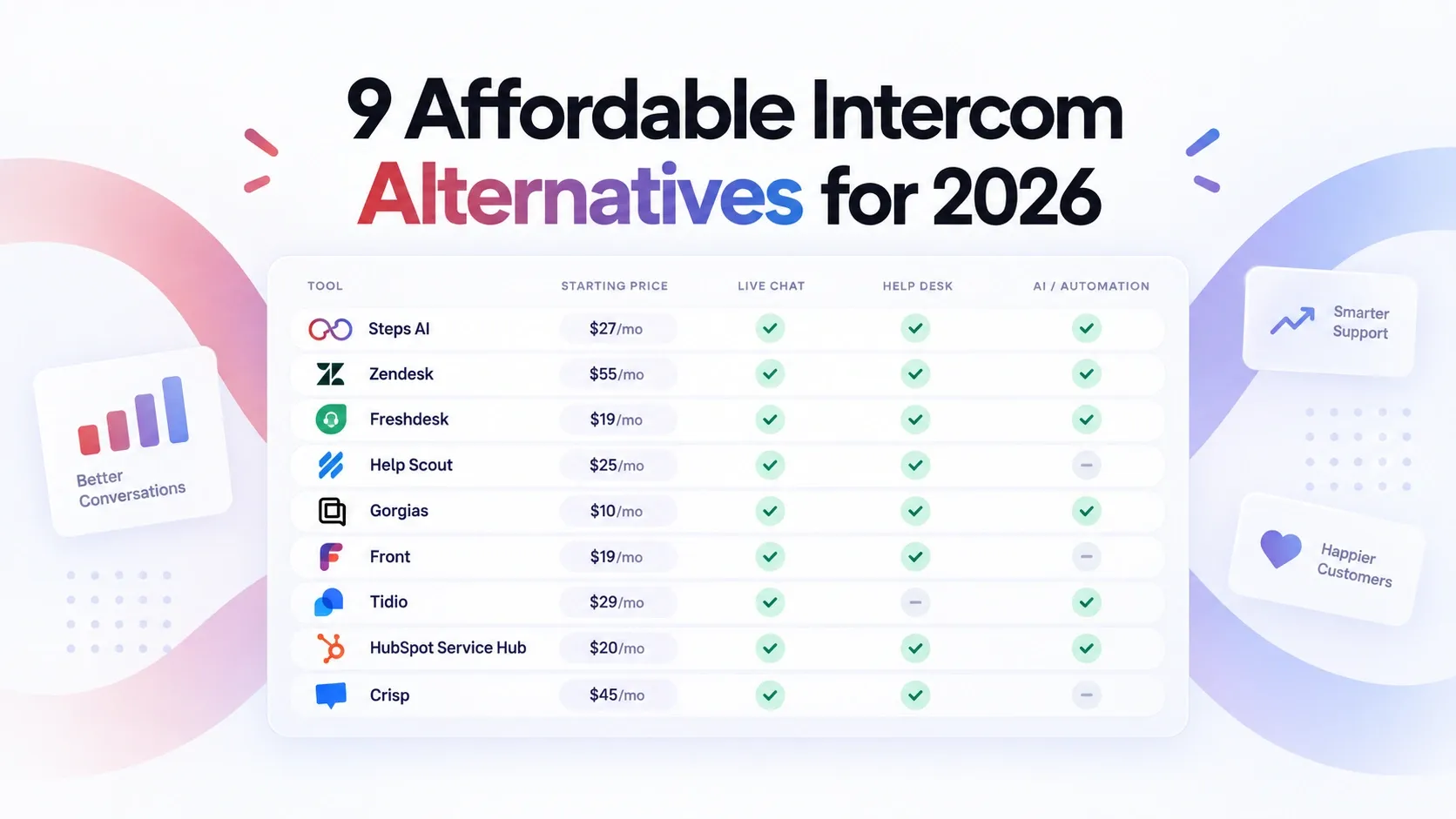
| Tool | Best for | Replaces | Starts at | Billed by | Main limitation |
|---|---|---|---|---|---|
| Steps AI | Action-taking AI across support, sales, and ecommerce | AI agent + light help desk | Free for 14-days, then $27/mo | AI responses | No voice calling yet |
| Zendesk | Enterprise support teams | Full platform | $55/agent/mo (Suite Team) | Seats + AI resolutions + add-ons | Heavy setup and admin |
| Freshdesk | Affordable ticket-based support | Help desk | $19/agent/mo | Seats + Freddy AI sessions | Full omnichannel needs Freshdesk Omni |
| Help Scout | Simple, human-led support | Help desk + live chat | Free, then $25/user/mo | Seats + $0.75 per AI resolution | Thin for complex enterprise work |
| Gorgias | Online stores | Ecommerce help desk | $10 for 50 tickets | Ticket volume + AI resolutions | Gets expensive as volume grows |
| Front | Teams sharing one inbox | Help desk + collaboration | $25/seat (1 channel), $65 omnichannel | Seats + AI add-ons | Not built for high-volume deflection |
| Tidio | Small business live chat + AI | Live chat + AI agent | $24.17/mo annually | Separate human, AI, and automation meters | Three meters are hard to forecast |
| HubSpot Service Hub | Existing HubSpot users | Full platform | Free, then $7/seat/mo annually | Seats + HubSpot Credits | AI and full help desk features require Professional |
| Crisp | Startups on a budget | Live chat + shared inbox | Free, then $45/workspace/mo | Workspace tier + agent limits + AI credits | Lighter admin controls than Zendesk |
The cheapest number is rarely the real one. Freshdesk at $19 and HubSpot at $7 both leave out the AI features and channels that made you look at Intercom in the first place.
The billing unit matters more than the price. Most Intercom alternatives charge per seat, but per ticket, per AI resolution, and per workspace all behave very differently once volume doubles.
9 best Intercom alternatives in 2026
Start with the one closest to your situation. You do not need to read all nine.
1. Steps AI
Who Steps AI is for: Teams who want the AI to finish the job, not just answer and hope.
What Steps AI replaces: Fin, plus the inbox and ticketing underneath it.
Steps AI runs on a single meter, and that is where the predictable pricing comes from. You pay for AI replies, and nothing else moves the invoice, so the cost tracks your traffic rather than your headcount or which feature the AI happened to use.
It also knows the limits of its own judgement. Ask where a parcel is, and it opens the order and tells you. Ask for a refund, and it stops because that call belongs to a person. It raises a ticket and passes the chat across with the order, the history, and everything it already tried, so you know the whole situation before you type a word.
What Steps AI does
- Reads live order and product data from Shopify and WooCommerce
- Captures and qualifies leads, then writes them to your CRM
- Books appointments, raises tickets, and edits records
- Runs workflows from editable templates or built from scratch
- Unified inbox showing every channel in one place
- Recognises the same customer across channels, with past tickets and orders
- Multilingual support in 95+ languages on every plan
- Works on your website widget, WhatsApp, Instagram, and Messenger, and a shareable agent page
- Connects to Shopify, WooCommerce, HubSpot, Salesforce, Calendly, and 100+ other tools
It is the easiest support tool to set up and takes about five minutes. Paste your URL; it reads your site, and you set the name and tone so it sounds like your team members rather than software.
Steps AI pricing
One reply is one credit; customer messages are free; no per-seat fee
- Free: 50 credits
- Starter: $27 for 500 AI responses
- Growth: $76 for 2,000
- Scale: $207 for 7,500
Intercom bills on four meters at once: seats, Fin outcomes at $0.99 each, including disqualified leads, Copilot, and channel usage. Steps AI has one, and every plan is omnichannel, including the $27 one.
See the full pricing breakdown.
The compromise
No voice calling yet. And Intercom's in-app Messenger, product tours, and proactive engagement have no equivalent here.
2. Zendesk
Who Zendesk's for: Enterprise teams that need the serious machinery.
What Zendesk replaces: Everything Intercom does, plus phone support, staff scheduling, and quality checks that Intercom does not offer.
Zendesk is the customer service software for teams that need enterprise ticketing depth: routing rules, SLA timers, agent scorecards, shift planning, phone support, and audit-ready security. If none of those words describe your week, Zendesk is more than you need.
What Zendesk does
- Deep ticketing with routing, SLAs, and permissions
- Knowledge base and reporting built for scale
- Phone, email, chat, and social on one platform
- Over 1,500 integrations, so it connects to almost anything you already run
- Service quality checks and staff scheduling
- AI agents that answer across channels in over 80 languages and take approved actions
Zendesk pricing
- Support Team: $19 per agent monthly
- Suite Team: $55 per agent monthly
- Suite Professional: $115 per agent monthly
- Copilot: $50 per agent monthly, billed annually
- Workforce Engagement: $50 per agent monthly, billed annually
- AI resolutions: billed on top of all plans
Watch which plan you are quoted. The $19 Support Team plan is email ticketing, not an Intercom replacement. Suite Team at $55 is the like-for-like comparison.
The compromise
All that depth has to be configured by someone, then learned by everyone. Expect a longer setup and real admin work. Teams that just wanted a better chat widget usually find it heavy.
3. Freshdesk
Who Freshdesk's for: Teams who want a proper ticket management system without enterprise pricing.
What Freshdesk replaces: Intercom's help desk and shared inbox.
Freshdesk is the sensible middle. You get structured tickets, routing rules, SLAs, a knowledge base, and AI automation, starting at around a third of what Zendesk's comparable plan costs.
What Freshdesk does
- Ticketing with shared inboxes and assignment rules
- SLA tracking and automated escalations
- Knowledge base and self-service portal
- Freddy AI agent for customer-facing answers
- Connects to Shopify, WooCommerce, and 1,000+ other apps, so agents can see order details next to the ticket
Freshdesk pricing
- Growth: $19 per agent monthly, billed annually
- Pro: $55 per agent monthly
- Enterprise: $89 per agent monthly
- Extra Freddy AI sessions: $49 per 100
- Freddy AI Copilot: $29 per agent monthly
There are two things people get wrong here.
The free plan is not what it was. Freshdesk once offered 10 agents for free with no time limit. It is now capped at 2 agents for 6 months, and it does not cover Freshdesk Omni. Everyone else starts on a 14-day free trial, after which paid plans start at $19 per agent.
A Freddy AI "session" is 72 hours, not one chat. The clock starts on the customer's first message. Everything they say over those three days counts as a single session.
The compromise
The $19 plan is a help desk, not an omnichannel platform. If you need messaging and voice, you are looking at Freshdesk Omni, which is priced separately. Advanced routing, reporting, and AI controls also sit on the higher tiers.
4. Help Scout
Who Help Scout's for: Small teams who want replies to feel like a person wrote them.
What Help Scout replaces: Intercom's shared inbox, help center, and chat widget.
Help Scout's whole pitch is a help desk that does not feel like one. Replies land in the customer's inbox as a normal email, with no ticket number or portal login attached. Your team still works in a proper shared inbox with collision detection, saved replies, workflows, and reporting, but none of that shows up on the customer's side.
What Help Scout does
- Shared inbox that looks like a normal email to the customer
- Beacon widget for live chat and help articles on your site
- Knowledge base and saved replies
- Live chat, SMS, WhatsApp, Instagram, and Messenger
- 100+ integrations, including Slack and Zapier
Help Scout pricing
- Free: 5 users, 100 contacts monthly
- Standard: $25 per user monthly
- Plus: $45 per user monthly
- Pro: $75 per user monthly
AI Answers are billed separately at $0.75 per resolution, but the spending cap is worth noticing. Most tools bill for AI usage after the fact. The free plan is generous for a small team, and it does not expire.
The compromise
Phone support usually needs a separate integration. And the simplicity cuts both ways: if you need detailed routing rules, shift planning, or enterprise controls, you will hit the ceiling fast.
5. Gorgias
Who Gorgias's for: Shopify and other online stores where most support tickets are about an order.
What Gorgias replaces: Intercom's help desk and chat, rebuilt around your store.
Gorgias is a customer service platform built specifically for ecommerce, so order data and customer history sit inside the ticket instead of in another system. Order status, refunds, cancellations, address changes: an agent handles all of it on one screen. The AI agent gets the same access.
What Gorgias does
- Check order status, edit or cancel orders, issue refunds
- Recommend products inside a conversation
- Reply to Instagram and Facebook comments and DMs alongside email and chat
- Show full customer history and past orders next to every ticket
- Revenue reporting that ties support conversations to sales
That last one changes how teams think. Instead of measuring tickets closed, you can see how much revenue a conversation produced.
Gorgias pricing
- Entry tier: $10 for 50 tickets monthly for e-commerce support
- Higher plans: larger ticket allowances, priced by ticket volume
- Billed by tickets, not agent seats, so extra teammates cost nothing
- AI Agent: available on all plans, charged per AI resolution
- Voice and SMS: separate usage charges
The compromise
The ticket-volume pricing model is kind to small stores and unkind to busy ones. Costs climb as support volume grows, and AI resolutions stack on top. Outside ecommerce, the advanced features that justify Gorgias stop mattering.
6. Front
Who Front's for: B2B teams where sales, support, operations, and account managers all touch the same customer.
What Front replaces: Intercom's shared inbox, with far more collaboration tools on top.
Front is built for the messy reality of B2B: one client email that needs the account manager's context, the ops team's answer, and a manager's sign-off before it goes out. It handles that inside a normal email view, so nobody has to learn a ticketing system.
What Front does
- Shared inboxes with clear assignment, so no reply falls through
- Internal comments on a conversation, invisible to the customer
- Shared drafts and approvals before a reply is sent
- Full customer context and history beside every thread
- Autopilot, the customer-facing AI agent
- Copilot, which drafts and suggests replies for human agents
Front pricing
- Starter: $25 per seat monthly, billed annually, single channel only
- Professional: $65 per seat monthly, the omnichannel plan
- Enterprise: $105 per seat monthly
- Autopilot: from $0.05 per conversation
- Copilot: $20 per seat, included with Enterprise
The Starter plan covers one channel. If you need email, chat, and WhatsApp, Professional at $65 is the real comparison to Intercom.
The compromise
Front is excellent at coordination and high-touch accounts. It is not built to deflect thousands of repetitive B2C questions. If your goal is volume self-service, look at the AI-first options instead.
7. Tidio
Who Tidio's for: Small teams whose chat support runs through a widget on the site, with some AI behind it.
What Tidio replaces: Intercom's live chat experience, not its help desk.
Tidio is a live chat tool first. The widget looks polished out of the box; you get basic ticketing and a clean handoff to a human, and there is a mobile SDK if you also run an app.
Two separate things, often confused:
- Lyro is the AI agent. You train it on your help content, and it holds a real conversation. It handles simple, repetitive questions before they reach anyone.
- Flows are rule-based automations. If a visitor does X, send Y. Good for cart recovery and lead capture, but it follows a script rather than thinking.
You can buy either, both, or neither. Knowing which one a price refers to matters, because they bill separately.
What Tidio does
- Chat widget with ticketing and human handoff
- Product recommendations inside a conversation
- Automated replies to common store questions
- Mobile SDK for app-based businesses
- Real-time visitor monitoring, so you can see who is browsing right now
Tidio pricing
- Free plan: live chat and basic features for small teams
- Starter: $24.17 monthly, billed annually, for 100 billable conversations
- Lyro standalone: from $32.50 for 50 AI conversations
- First 50 Lyro conversations: free for the life of the account, not monthly
- Paid allowances reset every month
The compromise
Human conversations, Lyro conversations, and Flows can run on separate meters. That makes Tidio hard to compare against tools with one bill, and harder still to forecast once volume grows. Work out your likely numbers on all three before you commit.
8. HubSpot Service Hub
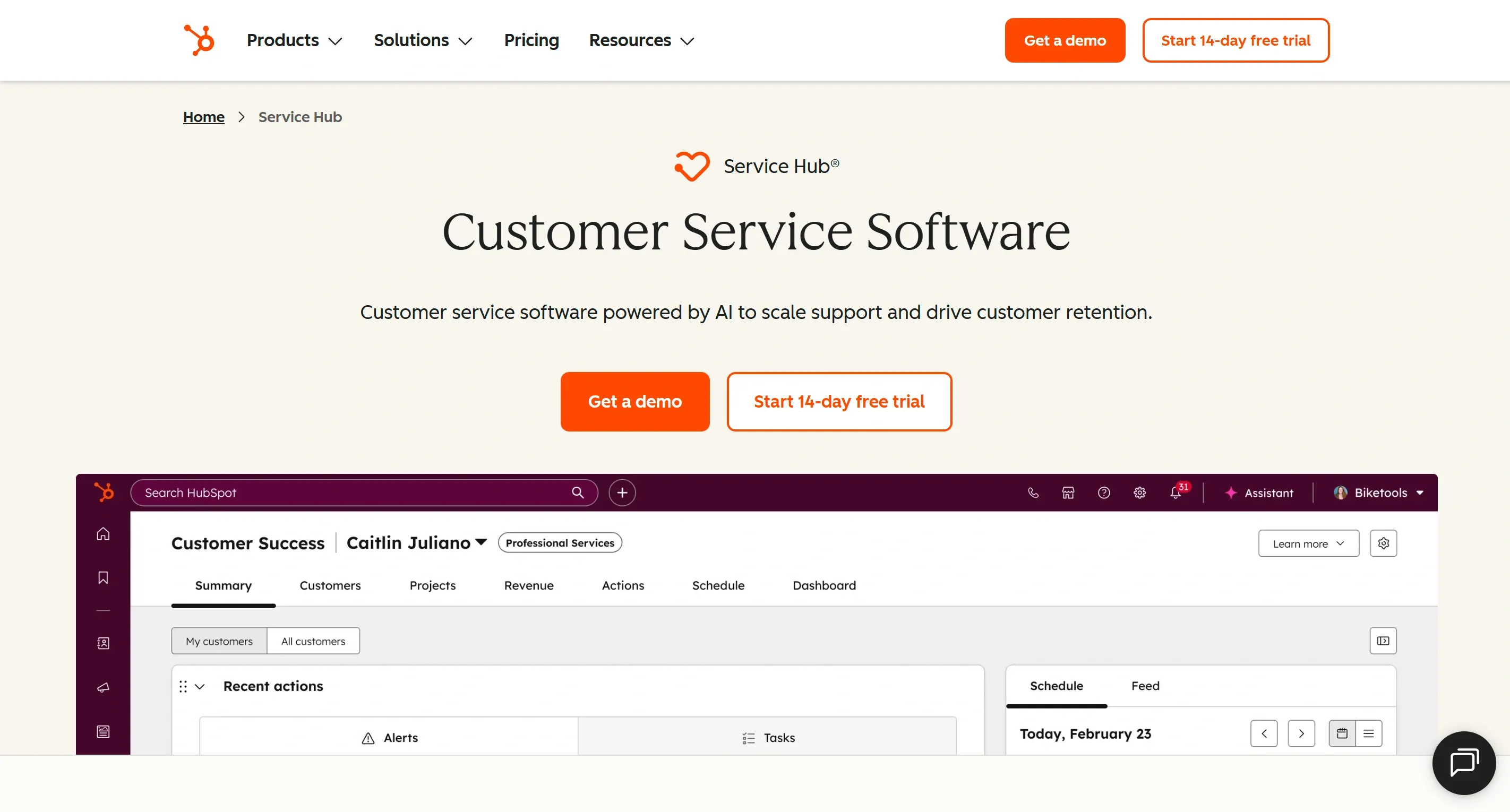
Who HubSpot Service Hub's for: Companies already running sales and marketing in HubSpot.
What HubSpot Service Hub replaces: Intercom's help desk and chat, wired into your CRM.
The appeal is one record per customer. Your AI support agent opens a ticket and sees the same contact, company, deal, and customer interactions the sales team has been working from. No syncing, no integration to maintain, because it is the same database.
What HubSpot Service Hub does
- Ticketing, live chat, and shared inboxes
- Knowledge base and customer feedback surveys
- Routing based on CRM data, like deal size or account owner
- Reporting that mixes customer support, sales, and marketing data
- Customer Agent, the AI that answers customers directly
HubSpot Service Hub pricing
- Free: up to 2 users
- Starter: $7 per seat monthly, billed annually
- Professional: $90 per seat monthly
- Enterprise: $150 per seat monthly
- Customer Agent: 50 HubSpot Credits per resolved conversation
- Extra credits: from $9 per 1,000, bought annually
That $7 figure gets quoted a lot in comparisons. It should not be. The AI agent and the full help desk both need Professional, which is $90 per seat. Starter is a shared inbox with tickets, not an Intercom replacement.
The compromise
All of this value depends on you living in HubSpot already. On another CRM, you are paying for a platform you will use a fraction of, plus the integration work to connect it.
9. Crisp
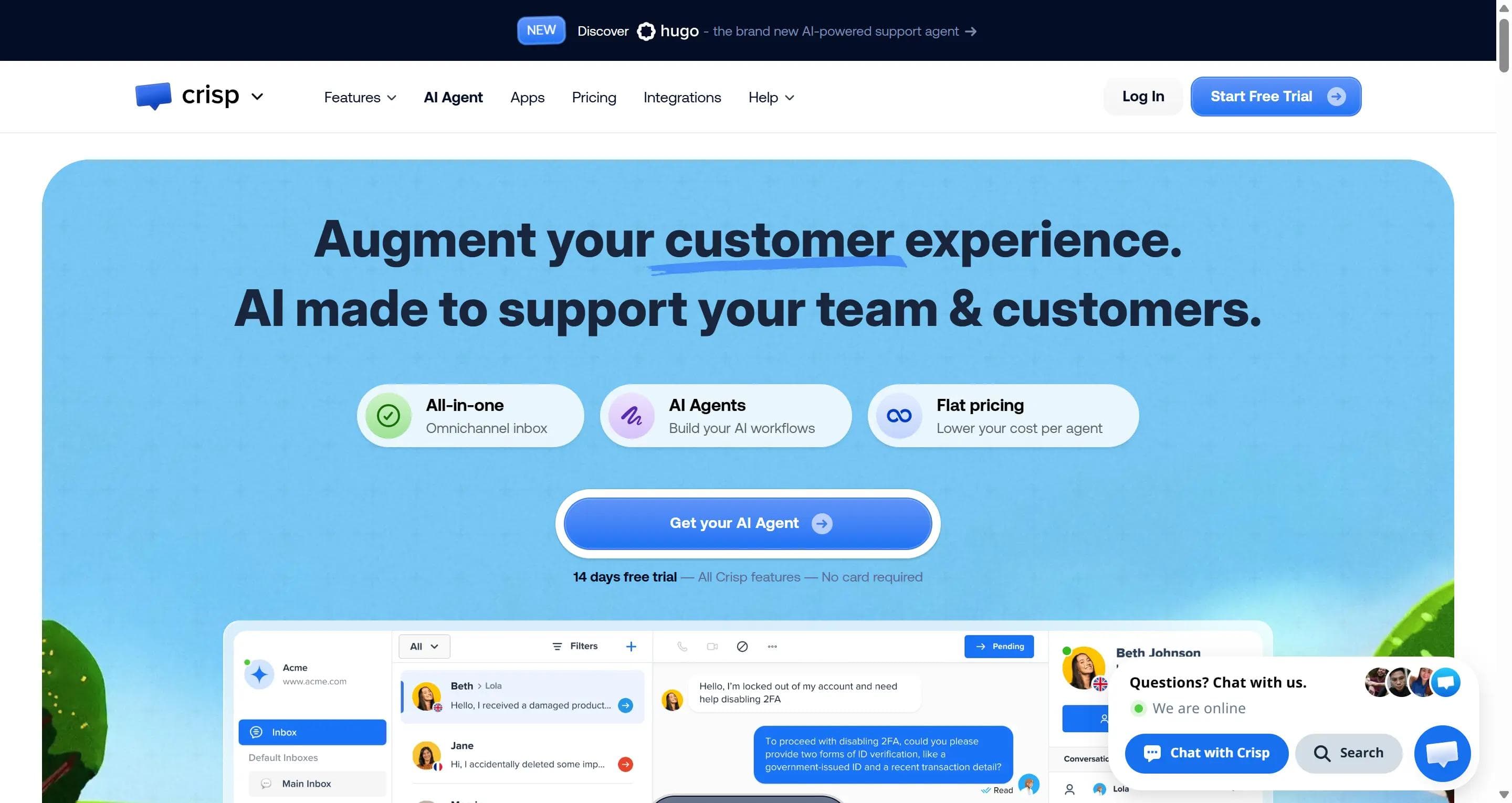
Who Crisp's for: Startups who need a bit of everything and cannot pay per seat for it.
What Crisp replaces: Most of Intercom's day-to-day: live chat, shared inbox, and knowledge base.
Crisp is a customer communication platform with flat pricing per workspace instead of per person. The interface is simple enough that a small team can run it without training anyone, and adding another team member within your plan's agent limit does not change the bill.
What Crisp does
- Live chat widget and unified inbox for email, WhatsApp, and social messages
- Knowledge base and help articles
- Co-browsing, so you can see the customer's screen as they use your site
- Built-in audio and video calls
- Automation and lightweight CRM to track customer history
Crisp pricing
- Free tier: 2 agents
- Mini: $45 per workspace, 4 agents
- Essentials: $95 per workspace, 10 agents
- Plus: $295 per workspace, 20+ agents
- Extra agents: $10 each
- Plus includes roughly 1,350 automated conversations and $75 in AI credits
Crisp used to sell a $25 plan. That tier no longer exists, so check the workspace prices above against any older quote you are working from.
The compromise
The useful AI and automation live on the higher tiers, so the cheap plans are chat and inbox only. Enterprise controls like quality scoring, shift planning, and detailed permissions are much lighter than Zendesk.
How to choose the right Intercom alternative
Work in this order. Price last.
1. Start with what you are replacing. Fin only, live chat, the help desk, or the whole thing. Drop any tool that cannot cover it before you look at prices at all. A cheap tool that handles half your job is not cheap.
2. Add up what you would actually pay this month. That means the plan or the seats, plus what the AI costs, plus any overage charges, plus fees for channels like WhatsApp or SMS, plus any add-ons you really need. Now do the same sum with twice as many conversations. Customer support volume grows, and the cheapest tool at today's numbers is often not the cheapest one a year from now.
3. Look at the unit you are charged for. A reply, a 72-hour session, a ticket, a conversation, an outcome, an AI resolution. They sound alike, but the same amount of work can cost very different amounts depending on the billing unit. Two tools can both say $50 a month, and one can end up costing triple the other.
4. Test the AI on your 25 most common real questions. Take these questions from your own inbox. Include the messy ones: vague questions, exceptions to your policy, order lookups, refunds, bookings, lead qualification, and the ones that clearly need a person.
Then check each answer:
- Was it correct?
- Did it come from your content, or did the bot make it up?
- Did the task actually get done, or just promised?
- Does it sound like your brand?
- How quickly did it reply?
- When it passed the chat to a person, did the agent get the full customer context?
That last one is the one people skip. A chat the bot closed and a customer whose problem got fixed are two different things, and the gap between them is where resolution quality lives.
5. "Works with Shopify" can mean two very different things. It might mean the tool shows an order number, or it might mean it cancels the order. So look past the logos on the integrations page and ask whether it can read live data, update the other app, and finish the task without your agent opening a second tab.
6. Use the chat widget like a customer. Does it load fast? Can you make it match your site? Does it work properly on a phone? If someone chats on your site and then messages you on WhatsApp, does it know they are the same person, and does their customer history come with them?
7. If you are replacing the help desk, check the dull parts. Who tickets get assigned to, response time targets, who can see what, a record of who changed what, quality checks, reporting, your knowledge base, security, which country your data sits in, and phone support. These are the things you notice in month three.
8. Pilot with one team or one channel. Load a real set of help articles, run it for a few weeks, and measure how many chats got resolved, satisfaction scores, first reply time, how clean the handovers were, and whether your backlog moved. Write down your current Intercom numbers first, or you will not know if it went well.
9. Ask what moves across before you sign. Contacts, past customer conversations, help articles, tags, saved replies, routing rules, integrations, and every page your Messenger sits on. Reporting history is the one that catches people out. Most tools import your conversations but not the numbers you built on top of them, so a year of reporting can quietly stay behind in Intercom. Ask the sales rep this directly, and ask before the contract, not after.
Which Intercom alternative is the best fit for you?
Find the line that sounds like your team.
- You want the AI to actually do things. Look up an order, qualify a lead, book the meeting, update the CRM: Steps AI
- You run a big support operation with routing rules, response targets, phone support, and shift planning: Zendesk
- You want proper ticketing without enterprise pricing: Freshdesk
- You are a small team and want replies to feel personal: Help Scout
- Team collaboration is the point, with sales, support, and account managers all working the same conversations: Front
- You run an online store, and most questions are about an order: Gorgias
- You mainly need a good chat widget with some AI behind it: Tidio
- Your sales and marketing already live in HubSpot: HubSpot Service Hub
- You are a startup adding teammates fast and cannot pay per seat: Crisp
And one more worth saying: staying put is a real option. If your team leans on Intercom's in-app Messenger, product tours, and proactive messages, and the savings are small, moving to a new platform is not obviously worth the disruption.
Whatever alternative to Intercom you land on, do the same three things first. Pick two or three customer experience tools. Work out the cost using your real conversation volume. Then run each one on actual questions from your inbox before you sign anything annual.
Try Steps AI on your own questions
The advice above only works if you actually run it. Paste your website URL into Steps AI, give it five minutes to read your content, then put your ten hardest customer questions to it and see what happens.
Every plan starts with a 14-day free trial. If you do not pay, you move to the free plan rather than losing access, so there is no deadline forcing a decision.
FAQs
Can I replace Fin without leaving Intercom?
Yes. Fin is the AI agent that sits inside Intercom, but Intercom also lets Fin run on top of other help desks. If your issue is the $0.99 per outcome rather than the platform, swapping the AI layer alone is often enough. Steps AI and Tidio's Lyro are both bought this way.
What does Intercom actually cost in 2026?
Seats are $29 per month for Essential, $85 for Advanced, and $132 for Expert. Fin is billed separately at $0.99 per outcome. Copilot and channels like WhatsApp and SMS are extra again, so the seat price is rarely the final bill.
What counts as a Fin "outcome"?
More than most people expect. Fin can charge when a customer confirms the answer helped, when they simply stop replying, or when it finishes a workflow. Some handovers to a human count too. You can be billed for a conversation the AI did not really resolve.
Which is the cheapest Intercom alternative?
HubSpot Service Hub at $7 per seat and Freshdesk at $19 per agent have the lowest entry prices, but neither includes the AI agent or full omnichannel support at that tier. Help Scout's free plan for 5 users is the most usable genuinely free option for a small team.
Which Intercom alternative is best for an online store?
Gorgias if most tickets are about an order and you want refunds, cancellations, and edits handled in the ticket. Steps AI if you want the AI itself reading live Shopify or WooCommerce data and completing the task before a person is involved.
Will I lose anything when I migrate off Intercom?
Contacts, conversations, help articles, tags, and saved replies usually transfer. Reporting history is the common casualty, since most tools import your chats but not the metrics built on top of them. Ask the sales rep exactly what moves before you sign, not after.