Modern businesses do not add website chatbots to “use AI.” They add them to remove friction from specific moments in the customer journey.
When chatbots fail, it is usually because they are deployed as generic assistants instead of being tied to real operational use cases. This is why Steps AI Chatbot is designed around business workflows and customer moments, not abstract automation. Steps AI Chatbot succeeds because it is applied where it actually creates leverage.
Below are practical, real-world website chatbot use cases modern businesses rely on today, with clarity on where each one works best.
1. Deflecting Repetitive Questions Without Breaking Trust
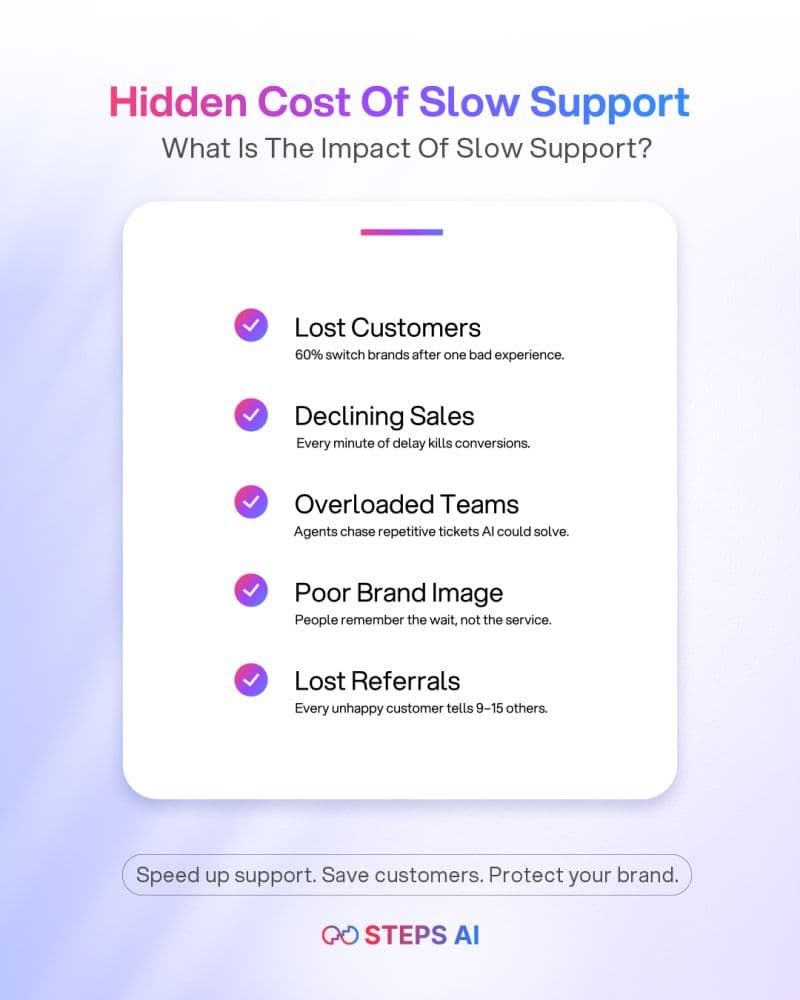
Every business receives a predictable set of repetitive questions. These usually relate to pricing details, feature availability, policies, setup steps, or basic troubleshooting. While these questions are simple, they consume a disproportionate amount of support time.
The goal of a website chatbot in this use case is not deflection for the sake of automation, but accurate first-resolution. Customers are comfortable with chatbots handling routine questions as long as the answers are clear, consistent, and trustworthy.
A well-implemented chatbot supports this use case by:
- Identifying common questions based on real support data
- Delivering answers conversationally instead of dumping links
- Guiding users step by step when a single response is not enough
When done correctly, this approach reduces ticket volume without lowering customer confidence. This is exactly how an AI chatbot for a website can reduce support tickets while still preserving a positive experience. When done poorly, repetitive questions turn into repeated frustration, which is one of the fastest ways chatbots lose credibility.
2. Helping Visitors Navigate Complex Websites
As websites grow, navigation becomes a silent problem. More pages, more products, more documentation, and more edge cases mean users often know what they want but not where to find it.
In this use case, a website chatbot acts as a context-aware navigation layer, not a search bar and not a salesperson. Instead of forcing users to guess menus or internal terminology, the chatbot translates intent into direction.
Effective navigation-focused chatbot behavior includes:
- Interpreting vague questions like “Where do I find billing settings?”
- Mapping user language to the correct page or resource
- Explaining what a page contains before sending users there
This use case becomes increasingly important as businesses scale. It is a practical example of what a website chatbot does for modern businesses by reducing friction across complex information architectures. Without this capability, chatbots often default to generic answers, which makes the experience feel shallow rather than helpful.
3. Supporting Buyers During Research, Not Just Conversion
Most buyers do not arrive on a website ready to talk to sales. They are researching quietly, comparing options, validating fit, and trying to avoid making the wrong decision.
In this stage, a website chatbot works best as a decision-support tool, not a conversion mechanism. Its role is to reduce uncertainty, not apply pressure. When chatbots are used aggressively for lead capture at this stage, they often interrupt the buying process instead of supporting it.
Effective research-stage chatbot behavior includes:
- Answering comparative questions in plain language
- Clarifying whether a product is suitable for specific use cases
- Explaining limitations honestly instead of overselling
This approach aligns with how modern buyers behave and avoids one of the most common reasons why website chatbots fail in sales-driven deployments. When implemented correctly, this use case builds trust long before conversion happens.
4. Guiding Users During First-Time Product Use
For many digital products, the first experience determines long-term adoption. Confusion in early interactions often leads to churn, even if the product itself is strong.
In this use case, a website chatbot functions as a real-time onboarding assistant. Instead of forcing users to search documentation or submit tickets, the chatbot answers questions in the moment they arise.
Effective onboarding chatbot support includes:
- Explaining features based on where the user is stuck
- Answering “What should I do next?” questions contextually
- Reinforcing correct usage patterns during setup
This use case depends heavily on conversation design. Poorly structured interactions overwhelm users, while well-designed ones accelerate confidence. This is why the conversational interface layer plays a critical role in onboarding success.
5. Absorbing Support Load After Purchase
After a customer converts, the nature of questions changes. They become more frequent, more specific, and often more urgent. Billing issues, usage limits, upgrades, and troubleshooting dominate this phase.
Here, a website chatbot acts as a post-purchase support layer, reducing pressure on human teams while maintaining responsiveness.
Strong post-purchase chatbot use cases include:
- Resolving common billing and account questions instantly
- Providing guided troubleshooting before escalation
- Helping customers understand upgrade paths clearly
Over time, this use case shapes the broader impact of chatbots on customer support by lowering repetitive workload and improving response speed. When implemented poorly, however, it can feel like a barrier instead of help.
6. Knowing When to Stop Automating
One of the most overlooked chatbot use cases is knowing when not to automate.
Some situations require human judgment, empathy, or deeper investigation. A chatbot that fails to recognize these moments quickly becomes a liability.
Critical scenarios where automation should stop include:
- Ambiguous or emotionally charged issues
- Requests that fall outside documented workflows
- Situations where accuracy cannot be guaranteed
When chatbots push automation beyond these boundaries, they risk becoming the reason a chatbot hurts customer experience. A well-designed chatbot treats escalation as part of the experience, not as a failure.
Conclusion
Website chatbots create value when they are tied to specific moments in the customer journey, not when they are deployed as generic assistants.
Modern businesses use chatbots to reduce repetition, guide research, support onboarding, and absorb support load without breaking trust. When applied thoughtfully, Steps AI Chatbot enables these use cases in a way that feels helpful, not forced.
CTA:Try Steps AI Chatbot and see how real business use cases work on a live website
FAQs
Are website chatbots only useful for support?
No. Support is just one use case. Modern chatbots also help with navigation, research, onboarding, and post-purchase assistance.
Can one chatbot handle multiple use cases?
Yes, if it can detect intent and shift behavior based on where the user is in their journey.
What is the biggest mistake businesses make with chatbots?
Treating them as generic automation instead of mapping them to real customer moments.