You added a chatbot website tool thinking it would help your customers. Instead, you're getting complaints. Your bounce rate is climbing. People are frustrated. And you're starting to wonder if the chatbot is doing more harm than good.
Here's the uncomfortable truth: a bad chatbot website experience can actively push customers away. Not every chatbot is helpful. Some are so poorly designed that they create friction instead of removing it. And if your visitors are running into dead ends, getting stuck in loops, or feeling ignored, your chatbot isn't a support tool. It's a conversion killer.
The problem isn't chatbots themselves. It's that most businesses are still using outdated technology built on rigid scripts and button menus. This is exactly why modern platforms like Steps AI exist: to replace those frustrating experiences with chatbots that actually understand conversations and help customers instead of annoying them.
This guide explores exactly when and why a chatbot website becomes a problem, what warning signs to watch for, and how to fix it before you lose more customers.
The Promise vs. The Reality
When you first installed that chatbot website widget, the pitch probably sounded great. Instant customer support. Reduced workload for your team. 24/7 availability. Lead capture while you sleep.
And all of that is possible. But only if the chatbot actually works.
The problem is that many businesses install chatbots without thinking through the experience. They set up basic responses, add a few buttons, launch it, and assume everything will be fine. Then reality hits.
Customers start asking questions the bot can't handle. The bot gives irrelevant answers. People get frustrated and leave. Support tickets don't decrease because everyone's asking to speak to a human anyway. The chatbot becomes background noise at best, and an active annoyance at worst.
This happens more often than you'd think. And it's costing businesses real money.
Learn more about what a website chatbot should actually do for modern businesses to understand the full potential you're missing.
7 Signs Your Chatbot Website Is Hurting Customer Experience
Let's get specific. Here are the indicative signs that your chatbot is damaging your customer experience instead of improving it.
1. People Keep Asking to "Speak to a Human" Immediately
If most conversations start with someone trying to bypass your chatbot entirely, that's a red flag. When customers immediately type "agent," "representative," or "talk to someone real," it means they've already decided your bot won't help them.
This often happens because they've had bad experiences with chatbots before, either on your site or elsewhere. But if your chatbot consistently fails to prove it's different, you're just confirming their worst assumptions.
2. The Bot Sends People in Circles
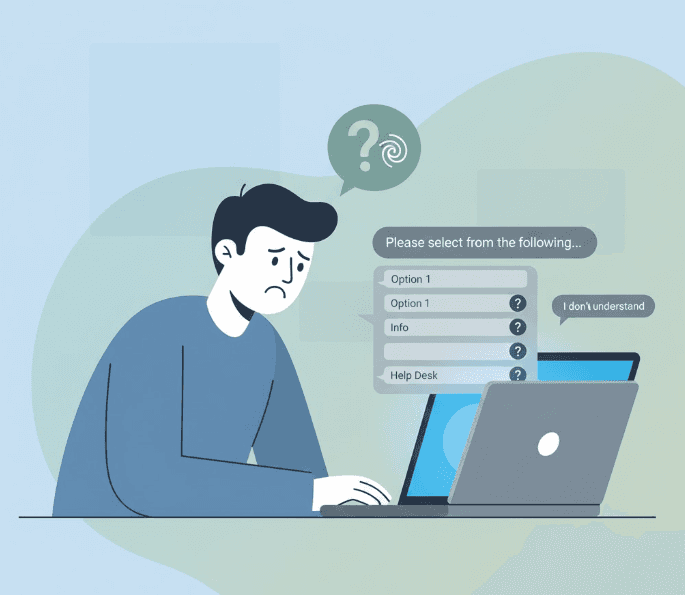
You've probably experienced this yourself on other websites. You ask a question. The bot gives you three button options. You click one. It gives you three more buttons. You click again. Now it's showing you a help article that doesn't answer your question.
You try to go back. The bot doesn't remember where you were. You're stuck starting over or guessing which button combination might eventually lead to an answer.
This loop is one of the most frustrating things a chatbot website can do. It makes people feel trapped and ignored. And once someone feels that way, they're not coming back.
3. It Can't Understand Natural Questions
Modern customers expect to type like they're talking to a person. "Do you ship to Canada?" "What's your return policy for opened items?" "Can I use this with Shopify?"
If your chatbot can't handle these straightforward questions without exact keyword matches, it's broken. When someone has to rephrase their question three times because your bot only recognizes "shipping" but not "delivery," you're creating unnecessary friction.
People don't want to learn how to talk to your chatbot. They want your chatbot to understand how they talk.
4. It Gives Wrong or Outdated Information
This is worse than having no chatbot at all. At least with no chatbot, people know they need to look elsewhere or contact you directly. But when your chatbot confidently gives wrong information, it breaks trust.
Maybe your pricing changed six months ago and the bot is still quoting old numbers. Maybe you discontinued a product and the bot is still promoting it. Maybe your hours changed and the bot is telling people you're open when you're closed.
Every wrong answer damages your credibility. And once someone catches your chatbot in one mistake, they'll question everything else it says.
5. It Interrupts at the Wrong Time
Some chatbot website tools pop up aggressively. You land on a page and immediately get a chat window blocking your view. Or you're in the middle of reading something important and the bot slides in asking if you need help.
Timing matters. A chatbot that interrupts people before they've even looked around feels pushy. It's like a salesperson approaching you the second you walk into a store before you've had a chance to browse.
Good chatbots are available when needed but not intrusive. Bad ones feel like they're pestering you.
6. It Can't Handle Follow-Up Questions
Real conversations have context. If someone asks "Do you have this in blue?" and then follows up with "What about large?", a human understands that "it" and "this" refer to the product they just discussed.
Many chatbots don't. They treat every message as a completely separate question. So when someone asks that follow-up, the bot has no idea what they're talking about.
This forces customers to repeat themselves constantly. It makes the conversation feel robotic and frustrating. And it completely breaks the flow of natural communication.
7. Your Analytics Show High Chat Abandonment Rates
Look at your chatbot analytics. How many conversations get started but never completed? How many people type a question, get a response, and immediately close the chat?
High abandonment rates mean people aren't getting value from the interaction. They're trying to engage, getting disappointed, and leaving. That's a clear signal your chatbot website experience needs work.
Why This Happens: The Real Problem Behind Bad Chatbots
Most chatbot website failures aren't random. They follow predictable patterns. Understanding why chatbots fail helps you avoid the same mistakes.
Over-Reliance on Button Menus
Many businesses build their chatbots like telephone menus. Press 1 for sales. Press 2 for support. Press 3 for... you get the idea.
This rigid structure breaks down the moment someone's question doesn't fit neatly into your categories. Real customer questions are messy. They're specific. They're phrased in unique ways. Button menus can't handle that complexity.
No Real Intelligence Behind the Bot
Some chatbot website tools are essentially fancy FAQ displays. They search for keywords in your message and return pre-written responses. There's no understanding, no context, no conversation.
These systems fail because they're not actually listening. They're just pattern-matching. And pattern-matching breaks down quickly in real conversations.
Poor Setup and Training
Even good chatbot technology fails if it's not set up properly. Maybe the business didn't upload enough information for the bot to learn from. Maybe they didn't test it thoroughly before launching. Maybe they assumed it would just figure things out on its own.
A chatbot is only as good as the knowledge you give it. If you feed it incomplete or outdated information, it will give incomplete or outdated answers.
Lack of Maintenance
Businesses change. Products get updated. Policies shift. Pricing changes. If your chatbot doesn't get updated along with everything else, it becomes a time capsule of outdated information.
This is especially common with businesses that set up their chatbot once and forget about it. Six months later, it's giving answers that were accurate when it launched but are completely wrong now.
The Business Impact of a Bad Chatbot Website Experience
Let's talk about what this actually costs you.
Lost Sales and Leads
When someone comes to your website ready to buy and your chatbot can't answer their pre-purchase questions, they leave. Maybe they go to a competitor. Maybe they just give up. Either way, you lost a sale.
This happens constantly. Someone has a simple question about compatibility, shipping, or features. Your bot can't help. They're not motivated enough to hunt down your contact form or wait for an email response. They're gone.
Increased Support Burden
Ironically, bad chatbots often create more work for support teams instead of less. People start conversations with the bot, get frustrated, demand to talk to a human, and then your team has to clean up the mess.
Now your support rep is dealing with someone who's already annoyed before the conversation even starts. That's harder than just helping them from the beginning.
Damage to Brand Perception
Your website is often the first impression people get of your business. If that first impression involves a frustrating chatbot experience, it colors everything else.
People make quick judgments. A bad chatbot makes your company look outdated, careless, or out of touch. Even if everything else about your business is great, that initial negative experience sticks.
Wasted Investment
You paid for that chatbot website tool. You spent time setting it up. Maybe you're paying a monthly subscription. If it's actively hurting your customer experience, all of that is wasted money.
Worse, you might be spending additional resources trying to work around it. Your team answering questions the bot should handle. Your customers spending extra time trying to get help. That's compounding waste.
How to Fix a Broken Chatbot Website Experience
If you're recognizing your own chatbot in these warning signs, don't panic. Most of these problems are fixable. Here's how to turn things around.
Audit Your Current Chatbot Honestly
Start by actually using your own chatbot. Not just a quick test. Spend 30 minutes having real conversations with it. Ask the kinds of questions your customers ask. Try to stump it. See where it breaks down.
Better yet, have people outside your company test it. They'll spot problems you've become blind to. Watch them use it without helping. Take notes on every point of friction.
Look at your chatbot analytics too. Which questions get asked most often? Which conversations end abruptly? Where do people give up and ask for a human?
This audit shows you exactly what needs fixing.
Upgrade to Technology That Actually Understands Language
If your chatbot is still relying on keyword matching and button menus, it's time for an upgrade. Modern AI-powered chatbot website platforms can understand natural language, handle context, and maintain conversational flow.
Tools like Steps AI represent this new generation of chatbot technology. Instead of programming every possible conversation path, you simply upload your business information. The AI learns from it and can handle questions flexibly, the way a human would.
The difference is night and day. Natural language understanding means customers can ask questions however they want. Context awareness means follow-up questions work naturally. And continuous learning means the bot gets better over time.
If you're using a platform like Wix for your website, see how to add an AI chatbot to Wix with modern technology that actually works.
What a Good Chatbot Website Experience Actually Looks Like
Let's flip this around. What should you be aiming for?
A good chatbot website experience feels helpful, not intrusive. It appears when people need it but doesn't demand attention when they don't. It understands natural questions without requiring specific phrasing. It provides accurate, relevant answers quickly.
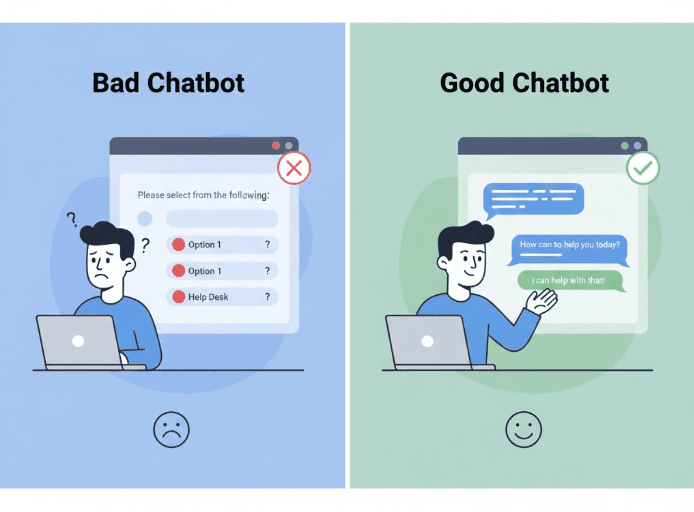
When it doesn't know something, it admits it and offers a graceful handoff to a human. It remembers context throughout a conversation so people don't have to repeat themselves. It captures leads naturally without feeling pushy.
Most importantly, it makes customers feel heard. Even though they're talking to AI, the experience should feel personalized and attentive.
This kind of experience turns your chatbot from a cost center into a growth tool. Instead of pushing people away, it draws them in. Instead of creating friction, it removes it.
Making the Switch to a Better Solution
If you're currently struggling with a bad chatbot website setup, you have options.
The old approach of building complex conversation trees and manually programming every scenario is outdated. Modern platforms like Steps AI take a completely different approach.
You simply provide your business information. The AI learns from it. You customize how it looks to match your brand. Then you add it to your website with a simple code snippet. The entire process takes minutes instead of weeks.
From there, the chatbot can handle natural conversations about your products, services, policies, and anything else you've taught it. No rigid scripts. No frustrating button menus. Just helpful, intelligent responses that actually solve customer problems.
And because the setup is so simple, you can actually maintain it. When something changes in your business, updating your chatbot is as easy as updating a document. No technical expertise required.
The Bottom Line
A chatbot website tool should make your customer experience better, not worse. If yours is currently causing problems, you're not alone. Many businesses struggle with the same issues.
The good news is that fixing it doesn't require a massive overhaul or a technical team. Modern chatbot technology has evolved to the point where creating a genuinely helpful experience is straightforward.
Your website visitors deserve better than dead ends and frustrating loops. They deserve real help, even when they're visiting at 2 AM and your team is offline.
Ready to turn your chatbot from a liability into an asset? Try Steps AI free and see what a properly designed chatbot website experience can do for your business. Set it up in minutes, not months. No coding required.
Stop Losing Customers to a Broken Chatbot
Your chatbot website experience can either help you grow or hold you back. If you're currently dealing with frustrated customers, high abandonment rates, and a bot that creates more problems than it solves, it's time for a change.
Steps AI makes it simple to create a chatbot that actually helps. Upload your content, customize the design, and launch in minutes. No complex setup. No coding required. Just a smart, helpful chatbot that your customers will actually want to use.
Start Your Free Trial and transform your chatbot from a customer pain point into your best support asset.
Frequently Asked Questions (FAQs)
How do I know if my chatbot is hurting my customer experience?
Check your analytics for high chat abandonment rates, low satisfaction scores, or frequent requests to speak with humans immediately. Also monitor your overall bounce rate and conversion metrics. If they got worse after adding the chatbot, that's a clear sign.
Can a bad chatbot actually decrease sales?
Absolutely. If customers can't get their pre-purchase questions answered, they'll leave and buy elsewhere. Studies show that 67% of customers expect instant answers to their questions before making a purchase decision. A chatbot that can't deliver those answers costs you sales.
What's the difference between a chatbot that helps and one that hurts?
The main difference is intelligence. Helpful chatbots understand natural language, maintain context, and provide accurate answers. Harmful chatbots rely on rigid scripts, keyword matching, and button menus that break down with real questions.
Should I remove my chatbot if it's not working well?
Not necessarily. If the technology is fundamentally limited, consider upgrading to a modern AI solution like Steps AI rather than removing it entirely. Many problems stem from outdated technology or poor setup, both of which are fixable.
How much time does it take to maintain a good chatbot?
With modern platforms, maintenance is minimal. You should review performance monthly and update information when your business changes. With tools like Steps AI, updates take minutes because you're just uploading new content rather than reprogramming conversations.
Will customers accept talking to a chatbot instead of a human?
If the chatbot is genuinely helpful, yes. Many customers actually prefer chatbots for simple questions because they get instant answers without waiting. The key is making sure your bot can actually deliver on that promise and offering easy access to humans when needed.